Avaya (Printer Output Format ACM 4.0+). SMDR/CDR data format and connection settings
Avaya Communication Manager 4.X
1. Change node-name ip and add a new entry that hosts our PBX Data Logger application. Our software does not support Reliable Session Protocol. You need to select another protocol type in your PBX Selecting the correct parser for Avaya (Printer Output Format ACM 4.0+)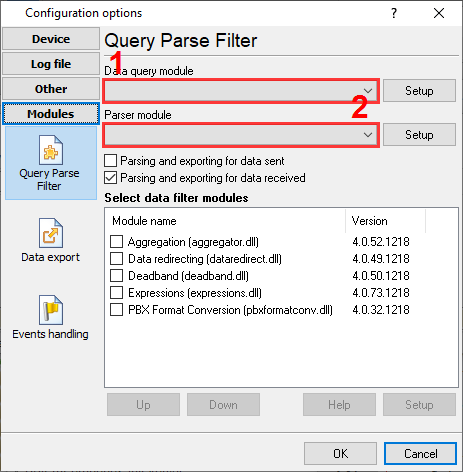
Avaya (Printer Output Format ACM 4.0+) Avaya (Printer Output Format ACM 4.0+) Data items
Interested in reports for PBX usage?We offer the PBX Reports utility with various manual, scheduled and email reports, built-in web-server, and other features. Look here Want PBX call logs in a database?This is the standard feature. The logger captures exports SMDR or CDR data in real-time to your database. Follow this link Note: Products and companies mentioned here are used only for definition and identification purposes and can be trademarks and/or registered trademarks of the respective companies. |
||||||||||||||||||||||||||||||||||||||||||||||||||||
| Copyright © 1999-2024, AGG Software. All rights reserved. Terms of use | Privacy policy |