NEC DS2000. SMDR/CDR data format and connection settings
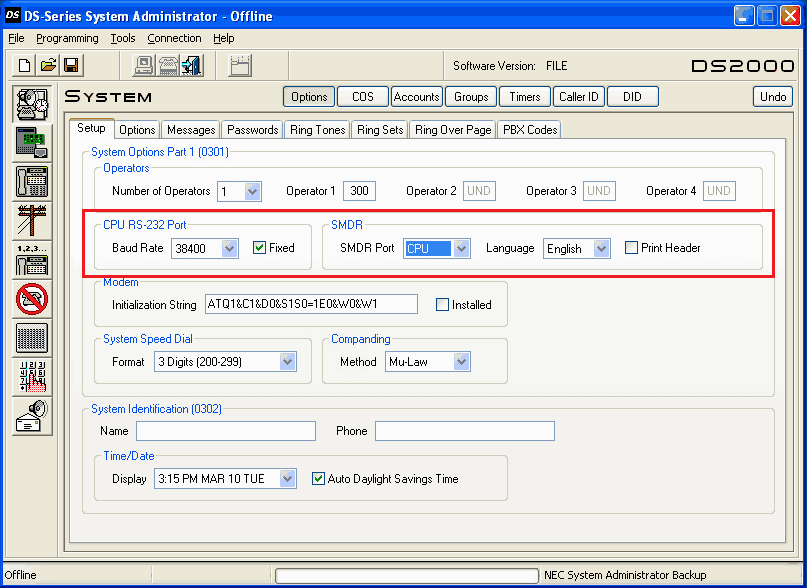
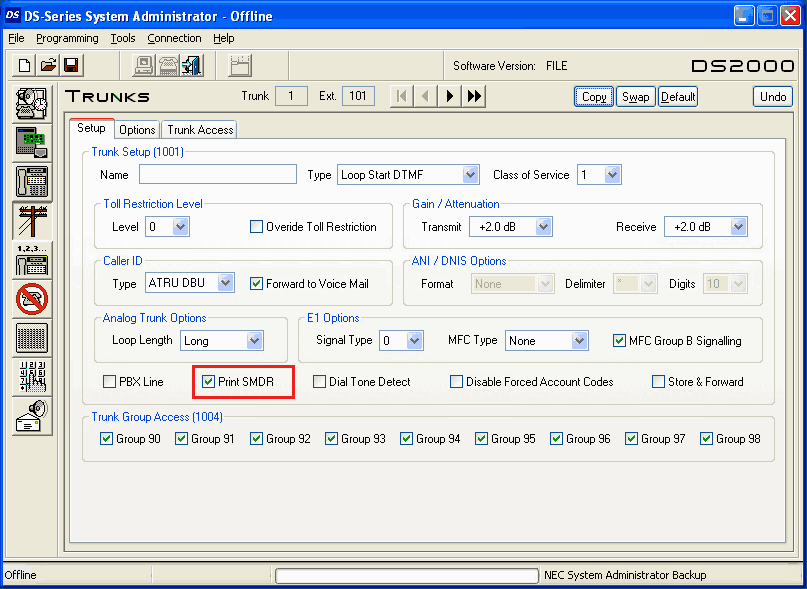
Nec DS1000/DS2000When connecting SMDR in DS2000, use cable P/N 80893 and adaptor P/N 85980 to connect the 8-pin DIN connector on the CPU to the 9-pin COM port on the customer-provided laptop or data collection device. In DS1000, use adaptor P/N 85980 and a Mod-8 patch cord to connect the system's RS-232-C jack to the 9-pin COM port on a customer-provided laptop or data collection device. By default, the data rate is 19200 baud (9600 baud in Fixed Slot), 8 data bits, 1 stop bit and no parity (typically referred to as 19200 8N1) Program #0301 - Operator Options - CPU Baud Rate By pressing Ctr+Break you can see the available baud rates. Program #10001 - Print SMDR - set it to Y in order to enable reports for calls on trunks We mention that by default our application is disabling the CPU debug information when it opens the communication with the PBX unit in order to reduce same the storage space needed for the calls. In our application please select the same baud rate as the pbx, new line separator CR, 8 data bits, parity none, 1 stop bit and hardware flow control. NEC DS1000/DS2000 programming via "DS-Series System Administrator"
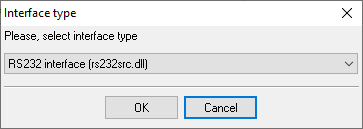
Configuring a COM portThe COM port number should match the number in your system. You can check the correct port number in Devices Manager → Ports. 1. Add a new configuration with the RS232 data source (if you didn't it before).
2. Select the COM port and configure the communication settings for your PBX corresponding to your PBX settings. 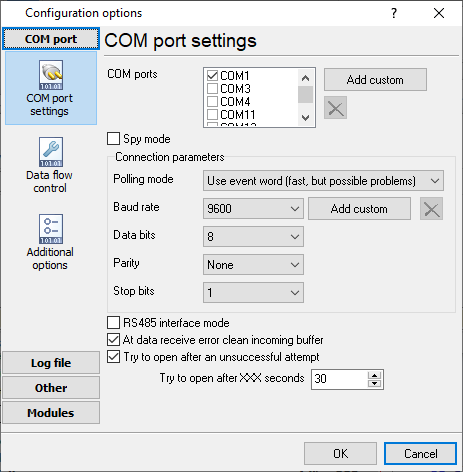
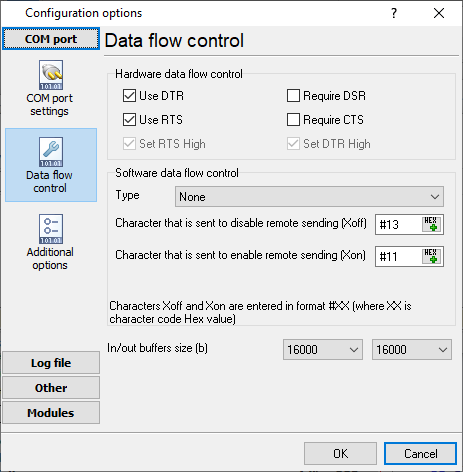
Selecting the correct parser for NEC DS2000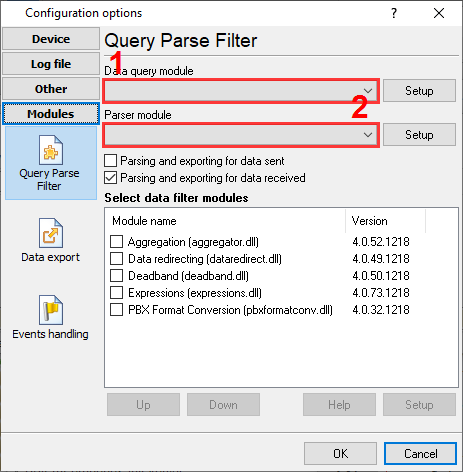
NEC DS2000 NEC DS2000 Data items
Interested in reports for PBX usage?We offer the PBX Reports utility with various manual, scheduled and email reports, built-in web-server, and other features. Look here Want PBX call logs in a database?This is the standard feature. The logger captures exports SMDR or CDR data in real-time to your database. Follow this link Note: Products and companies mentioned here are used only for definition and identification purposes and can be trademarks and/or registered trademarks of the respective companies. |
|||||||||||||||||||||||||||||||||||||
| Copyright © 1999-2024, AGG Software. All rights reserved. Terms of use | Privacy policy |