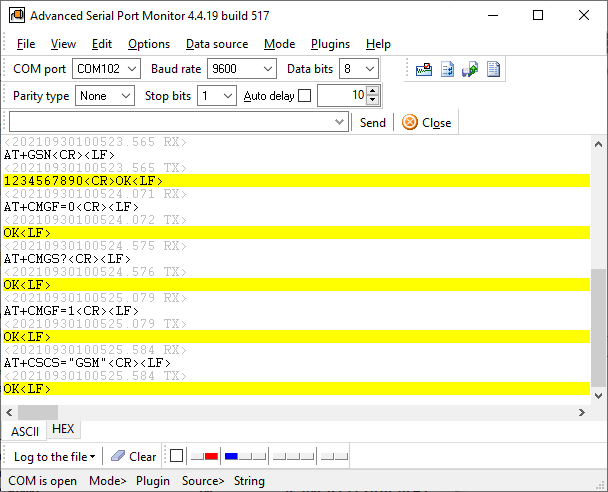
Serial Port Sniffer - Serial Port Sniffer for Windows. Capture COM Port Traffic. Step-by-step guide.Watch it! For Windows 2000 - Windows 11 (2022) (incl. Server, x86 and x64). Latest version: 4.4.21 build 527. May 27, 2022. The serial port sniffer tool is a utility that monitors the data transfer carried out by another program, "dropping in" between the serial interface and the studied program. The serial port sniffer allows studying the data exchange's peculiarities of any Windows program. If you have developed the researched program, the serial/RS232 port sniffer turns into an RS232 debugger, which allows you to trace down and troubleshoot problems appearing in serial communications.
How can I sniff serial port communications using Advanced Serial Port Monitor?
Download a Free Trial Version
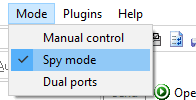
Serial Port Sniffer & Analyzer FAQDoes your software use a driver?Yes, our software solution has a particular device driver that our program attaches to an RS232 device's driver. Our driver captures all communications and system requests with precise timestamps. You can get information about used baud rates and other communication parameters in most serial port software. Is it compatible with Windows 10 and 64-bit operating systems?Yes, our serial sniffer driver is compatible with the modern OS and has the necessary digital signatures. Can your utility work with full-duplex?It works by default because it inserts our driver in the middle of a serial device driver and another program. So, you can implement bidirectional data sniffing interface. What serial port types does your sniffer support?Our serial software supports real and virtual COM ports (VCP) of various types like RS232-USB (USB cables), RS232-LAN, Bluetooth, software-based Virtual COM port, etc. You do not need a special sniffer cable or an active RS232 sniffer cable. Still, you can optionally use it in the "Dual port" mode to monitor the serial connection between two external devices. Serial Sniffer Software Features
Download a Free Trial Version
Easily sniff traffic & capture data Who can get benefits from a serial port sniffer:
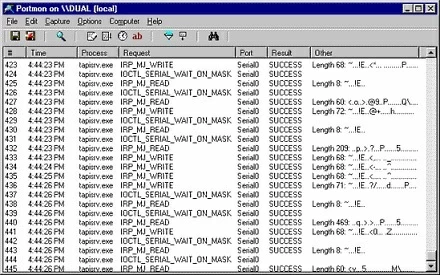
Eliminate RS232 cables Using the serial port sniffer mode, you can monitor serial port activity without any cables and additional hardware. Multiple COM ports at the same time Start several instances of our COM port sniffer and monitor communication with your peripheral devices simultaneously. The program allows you to store the settings for each copy individually. Easy-to-use The RS232 monitoring tool does not require special knowledge, and students and professionals can use it to test/debug/view serial communication. You can use the RS232 monitor without any programming skills. Free serial port sniffers on the market Portmon monitors Windows kernel-level I/O packets sent/received between serial port device drivers. It didn't update for some time and may not work on modern versions of Windows.
How can our serial software replace free Portmon? Apart from Portmon, our software does not show low-level I/O requests, but decodes them to a human-readable form. How can our software help decode serial communication protocol? When studying serial communication protocols, you may want to repeat the same command sequence sent to serial equipment. You can quickly switch from the sniffer mode to the manual mode, repeat RS232 communications using our "Replay logs" plugin. Download a Free Trial Version
The powerful alternative for free Portmon Advanced Serial Port Monitor related topics:RS232 monitor
RS232 analyzer
Serial port sniffer
Serial port spy |
|||||||||||||||||||||||||||
| Copyright © 1999-2024, AGG Software. All rights reserved. Terms of use | Privacy policy |