
Avaya IP Office Phone (CSV) - SMDR/CDR call logging & accounting
This data is being extracted with help of the "Advanced PBX Data Logger" software only. It may not be applicable for other software titles.
Configuring Avaya IP Office
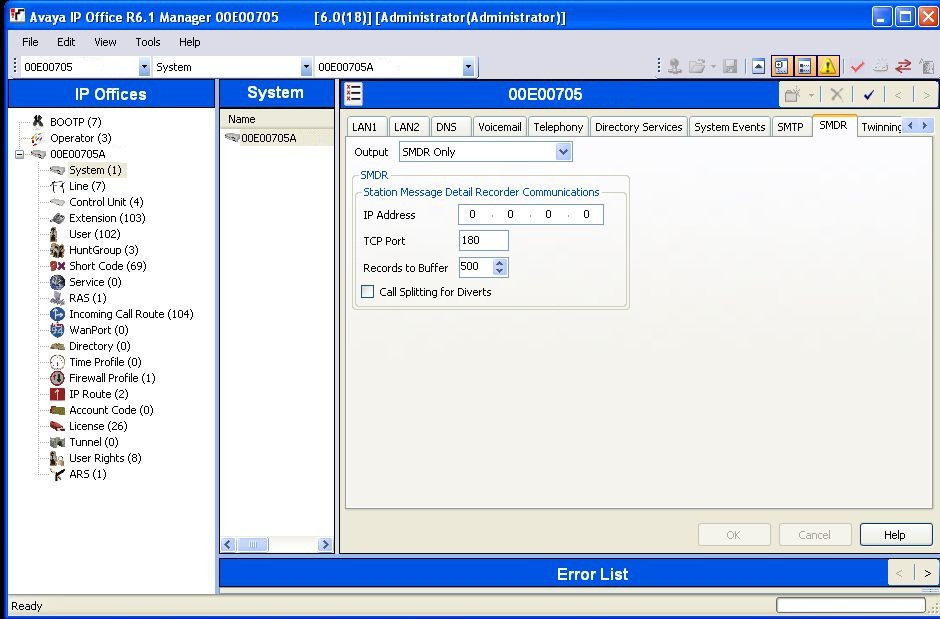
Replacing Avaya Delta Server
Recently Avaya have stripped off Delta Sever application which used to serve as SMDR. Our PBX Data Logger allows to replace this application and is very user friendly.
Configuring PBX Data Logger as a TCP client
Our software should work in the TCP client mode. It means that our software will initiate connection with the PBX and the PBX will work as a server. Add one or several PBX IP addresses here (the IP address of the Avaya IP Office). The port number should match the port that you have defined within the PBX (180 in the example below).
1. Add a new configuration with the TCP data source (if you didn't it before).
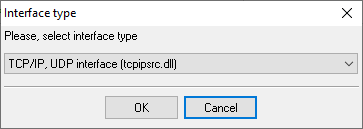
2. Configure the TCP settings as shown below.
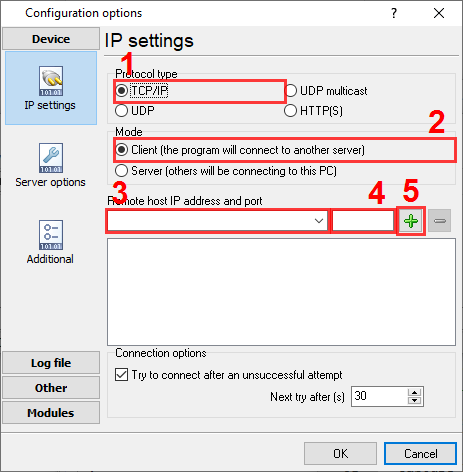
192.168.1.220
180
192.168.1.220:180
Selecting the correct parser for Avaya IP Office Phone (CSV)
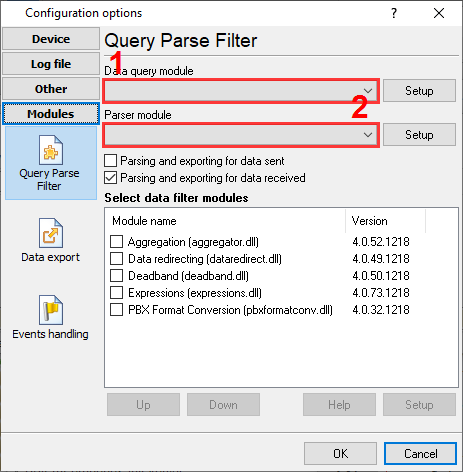
Avaya IP Office Phone (CSV)
Avaya IP Office Phone (CSV)
Data items
| Description | Data type | Column name |
|---|---|---|
| Call time | datetime | CALL_TIME |
| Call duration | datetime | CALL_DURATION |
| Call duration (s) | integer | CALL_DURATION_S |
| Ring duration | integer | RING |
| Direction | string | CALL_TYPE |
| Direction | string | DIRECTION |
| Is internal | string | FLAG1 |
| Caller phone | string | CALLER_PHONE |
| Extension | string | DNIS |
| Extension | string | EXT |
| Called phone | string | CALLED_PHONE |
| Dialed phone | string | DIALED_PHONE |
| Account | string | ACC |
| Call ID | integer | CALL_ID |
| Continuation | string | FLAG2 |
| Party1Device | string | PARTY1_DEVICE |
| Party1Name | string | PARTY1_NAME |
| Party1Device | string | PARTY2_DEVICE |
| Party1Name | string | PARTY2_NAME |
| Hold time | integer | HOLD_TIME |
| Park time | integer | PARK_TIME |
| Auth valid | string | FLAG3 |
| Auth code | string | AUTH |
| User charged | string | USER_CHARGED |
| Call charge | float | CALL_CHARGE |
| Currency | string | CURRENCY |
| Amount at Last User Change | float | LAST_CHARGE |
| Call units | string | CALL_UNITS |
| Units at Last User Change | string | LAST_UNITS |
| Cost per Unit | float | COST_UNIT |
| Mark up | string | MARK_UP |
Interested in reports for PBX usage?
The PBX Reports utility we offer includes multiple report types - manual, scheduled, and via email, built-in web server, and additional features. Easily implement your call accounting system for Avaya IP Office Phone (CSV). Check our PBX Reports utility.
Want PBX call logs in a database?
In real-time, the logger captures and exports SMDR or CDR data to your database as a standard feature. Check our article about call logging to a database.
Avaya IP Office Phone related connection settings
Avaya IP Office 500 (CSV)Avaya IP Office 406 (CSV)
Avaya MERLIN 1030
Avaya MERLIN 3070
Quick jump to the connection settings for other PBXs or connection formats ↴
Note: Products and companies mentioned here are used only for definition and identification purposes and can be trademarks and/or registered trademarks of the respective companies.
Related topics: Advanced PBX Data Logger
hereCall logging Call accounting SMDR to SQL SMDR Listener Cables and signals