
Siemens Hicom-118 - Call logging & accounting
This data is being extracted with help of the "Advanced PBX Data Logger" software only. It may not be applicable for other software titles.
Connection parameters
This information is applicable for: Hicom 100, Hicom 110, Hicom 120
With the "PCSAT" software you should configure the following:
Data for Call-Duration Recording
Line-Related Data for CDR
Outgoing Calls: Y
Incoming Calls: Y
Account Codes: Y
Data Mode Intervals: Y
System Data for Printer and Interface
Followed by blank lines: N
Lines per page: 00
Data records per page: 00
Control characters preceding records: - -
Control characters following records: CR LF
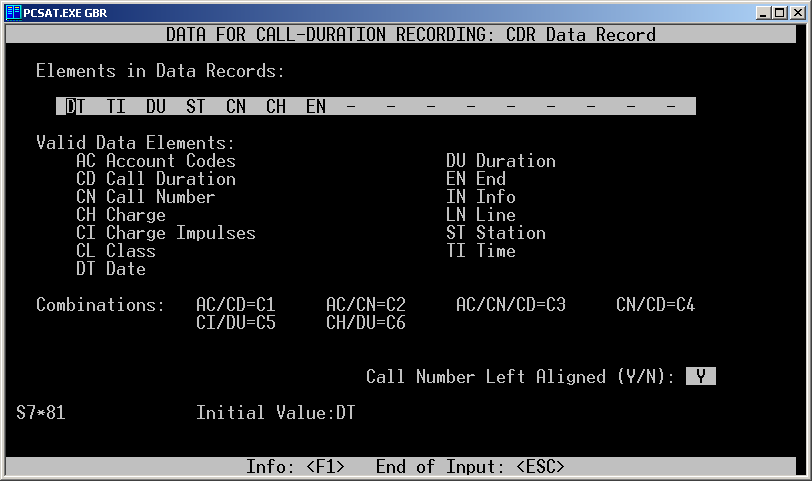
CDR Data Record
Set elements to one of the following configurations:
DT TI DU ST CN CH EN
DT TI DU ST CN CH CI EN

Pinouts PC to Hicom (via standard patch lead)
DB25
1 –
2 – WHITE
3 – RED
4 – YELLOW
5 – ORANGE
6 – GREEN
7 – BROWN
8 – BLACK
9 –
10 –
11 –
12 –
13 –
14 –
15 –
16 –
17 –
18 –
19 –
20 – BLUE
21 –
22 –
23 –
24 –
25 –
DB 9
1 – BLACK
2 – WHITE
3 – RED
4 – GREEN
5 – BROWN
6 – BLUE
7 – ORANGE
8 – YELLOW
9–
| PBX (25 pin male) | PC (9 pin female) | PC (25 pin female) |
|---|---|---|
| 7 | 5 | 7 |
| 2 | 2 | 3 |
| 3 | 3 | 2 |
| 4 | 8 | 20 |
| 5 | 7 | 5 |
Configuring a COM port
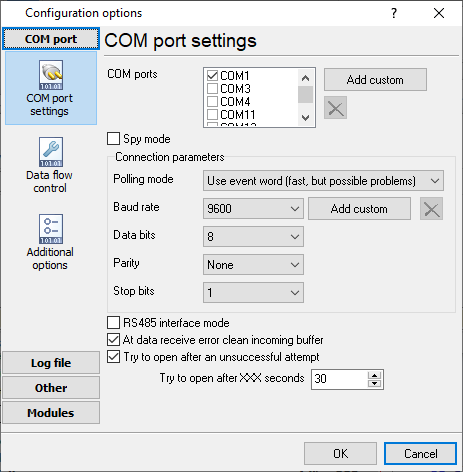
The COM port number should match the number in your system. You can check the correct port number in Devices Manager → Ports.
1. Add a new configuration with the RS232 data source (if you didn't it before).
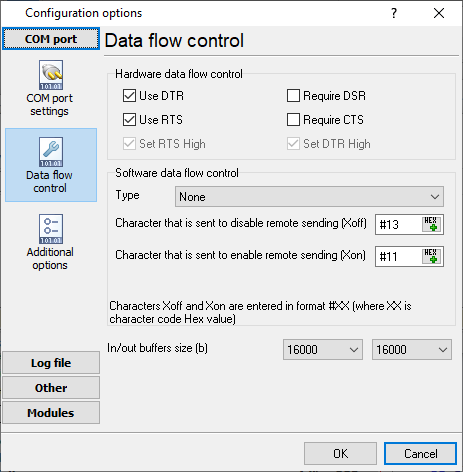
2. Select the COM port and configure the communication settings for your PBX corresponding to your PBX settings.
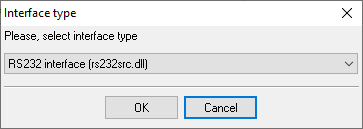
Selecting the correct parser for Siemens Hicom-118
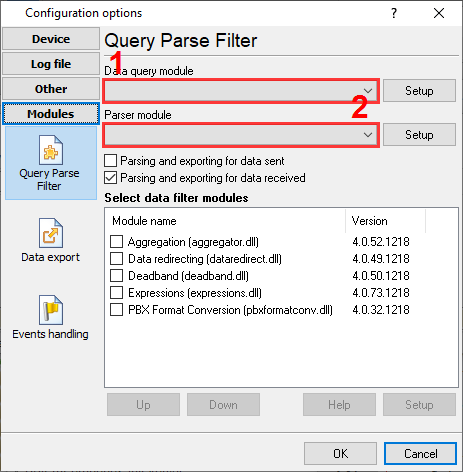
Siemens Hicom-118
Siemens Hicom-118
Data items
| Description | Data type | Column name |
|---|---|---|
| Call time | datetime | CALL_TIME |
| CO | string | TRUNK |
| External | string | EXT |
| Ring | datetime | RING |
| Call duration | datetime | CALL_DURATION |
| Call duration (s) | integer | CALL_DURATION_S |
| Phone | string | DIALED_PHONE |
| Call type | string | CALL_TYPE |
| Direction | string | DIRECTION |
Interested in reports for PBX usage?
We provide the PBX Reports utility, featuring a range of manual, scheduled, and email reports, a built-in web server, among other features. Implement your call accounting system for Siemens Hicom-118. Check our PBX Reports utility.
Want PBX call logs in a database?
This standard feature allows the logger to capture and export SMDR or CDR data in real-time directly to your database. Check our article about call logging to a database.
Siemens Hicom-118 related connection settings
Siemens HiPATH 1100Shoretel 9
Siemens Hicom-150 OfficeCom v2
Siemens Hicom-150 OfficeCom
Quick jump to the connection settings for other PBXs or connection formats ↴
Note: Products and companies mentioned here are used only for definition and identification purposes and can be trademarks and/or registered trademarks of the respective companies.
Related topics: Advanced PBX Data Logger
hereCall logging Call accounting SMDR to SQL SMDR Listener Cables and signals