
File import module plugin for Data Loggers
Latest version: 5.0.1 build 1126. November 28, 2025.
The File import module is an extension for our data loggers (e.g., Advanced Serial Data Logger or Advanced TCP/IP Data Logger). It adds a new item to the "File" menu that lets you import data from previously created log files. This is useful when you need to reprocess historical data, test a new parser configuration, or reexport old records to a database or other destination. The module works with any data transfer interface supported by the logger, including serial ports, TCP or UDP sockets, and virtual ports.
The module does not change how data is parsed or exported. It reuses the current configuration that is active for the chosen data source. This means that all parser settings, data extraction rules, export plugin chains, and filter conditions are applied to the imported data in the same way as to live incoming data. You can also use this behavior to validate new parsing rules on existing log files before deploying them in production.
Because the File import module reads log files and pushes their content back through the processing pipeline, it does not track which log segments have already been imported. As a result, it can process old files multiple times, but you must manage duplicates when exporting to databases or other permanent storage.
Typical scenarios for this module include recovery after a database failure, reconstruction of missing reports, loading archived log files into a new analysis configuration, or benchmarking parser performance with real historical traffic. For example, if a database was offline during the night, but the logger still wrote to text log files, you can later import those files and fill the missing period in the database. In another scenario, you may develop a new parser for a device protocol and want to run it against several megabytes of previously captured data without reconnecting to the device.
Key features
- Adds the File menu command to import existing log files back.
- Uses the current configuration, parser rules, and export plugins without extra settings.
- Supports batch import of multiple log files in one operation with preserved event order.
- Works with all our data loggers.
- Ideal for data recovery, parser testing, performance benchmarking, and report reconstruction.
- Does not modify stored log files, ensuring non-destructive reprocessing of historical data.
In summary, the File import module provides a straightforward way to reprocess historical log files in loggers. It lets you recover missing data, test new configurations, and rebuild exports from archived logs while keeping the workflow simple and consistent.
How to enable this plugin
The figure below shows how to select the plugin on the "Modules" page.
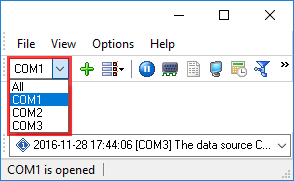
Fig.1. Selecting the plugin.
Read more about other plugins:
All plugins | Events notification | Internet sharing | Scheduler & Hotkeys | Logs packing and compression | Import logs with data