
Alcatel 4400 P SMDR setup and CDR format
This page shows how to get call records out of the Alcatel 4400 P into Advanced PBX Data Logger: the connection settings, the parser to select and the 13 fields the logger extracts for reports or a database. The settings apply to our logger; other call accounting software may expect a different configuration.
Quick facts
| Item | Alcatel 4400 P |
|---|---|
| Interface | CDR files downloaded by FTP from the PBX or its server and parsed on arrival. |
| Port | 21 |
| Parser to select | Alcatel 4400 P |
| Fields extracted | 13 |
| Other Alcatel systems | Other PBX SMDR formats, Alcatel to London |
If you want to know what software release do you have on 4400 please login using telnet, user mtcl, password mtcl an run the command siteid.
Alcatel OmniPcx Enterprise and 4400 (OXE)
The default address of the pbx system is 192.168.0.254 and the port for ftp is 21. You need to add the "FTP" data source and setup in the remote server address:port the following string: 192.168.0.254:21. Also you must use user mtcl and password mtcl.
Configuring PBX Data Logger
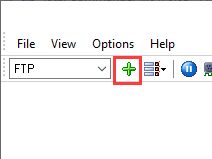
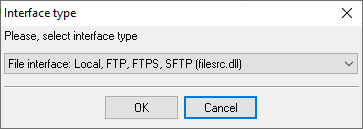
1. Create the new "File" data source.
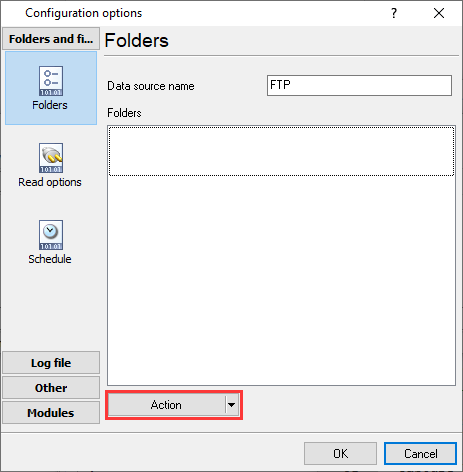
2. Click "Actions → Add...".
3. Select the "FTP" file transfer protocol and configure connection with a FTP server on your PBX.
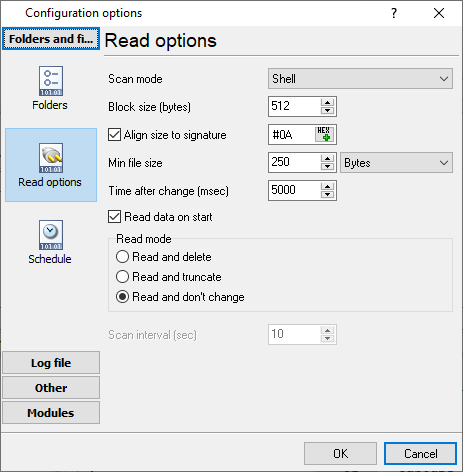
4. Adjust read options.
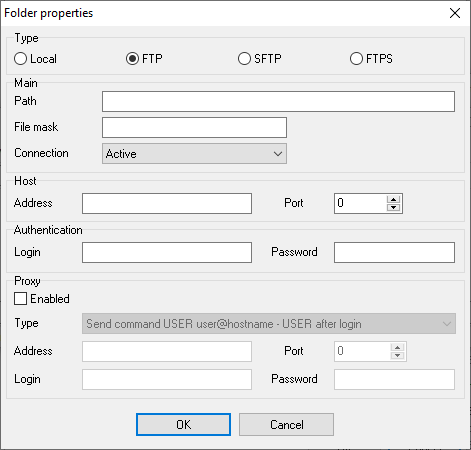
192.168.0.254
21
/usr4/account
TAXA*.DAT
ftp_inst
Selecting the correct parser for Alcatel 4400 P

Alcatel 4400 P
Alcatel 4400 P
Data items
| Description | Data type | Column name |
|---|---|---|
| Subscr. | string | EXT |
| Subscriber name | string | FLAG1 |
| CCN | string | FLAG2 |
| Call time | datetime | CALL_TIME |
| Call duration | datetime | CALL_DURATION |
| Call duration (s) | integer | CALL_DURATION_S |
| Cost | float | COST |
| Phone | string | DIALED_PHONE |
| P | string | FLAG3 |
| Access code | string | ACC |
| Trunk | string | TRUNK |
| P | string | FLAG4 |
| P | string | FLAG5 |
Sample record
As delivered by the system; phone numbers, names and public addresses are masked.
|31016   |31016           |          |051xxxxxxx|000:00:00|     0.00| S      |0|
|        |678xxxxxxx          |N|            |   0|000001|000001|   1|   90|B|A|
|21010   |Name Surname    |          |051xxxxxxx|000:07:08|     0.00|      X |0|
Alcatel-Lucent programming software
OmniPCX Enterprise is administered through Alcatel-Lucent's OmniVista management platform or the mgr console on the call server. Both come with the system from Alcatel-Lucent Enterprise or your dealer, not from AGG Software. PBX Data Logger only receives the accounting tickets those tools let you switch on.
Reports and a database
Once records arrive, the logger writes them to a text file or to any ODBC database in real time, or hands them to the PBX Reports utility for manual, scheduled and e-mailed reports with a built-in web server. See exporting call log data to a database for the database setup.
Related Alcatel systems
Alcatel 4400 (FTP)Alcatel 4300
Alcatel OmniPCX Enterprise (Ethernet Real Time)
Alcatel OmniPCX Enterprise (OXE)
Other PBX SMDR formats, Alcatel to London
All supported PBX systems
Note: Products and companies mentioned here are used only for definition and identification purposes and can be trademarks and/or registered trademarks of the respective companies.
Related topics: Advanced PBX Data Logger
hereCall logging Call accounting SMDR to SQL SMDR Listener Cables and signals