
TCP/IP Software: TCP/UDP Logger, COM Redirector, Splitter
Sensors, meters, PLCs, gateways and single-board computers increasingly send their data over TCP or UDP instead of a serial cable. The tools on this page log that data, connect serial devices to the network, split one stream to several consumers, and convert MODBUS between its serial and TCP forms. All run on Windows, as a service where it matters.
On this page: Which tool for which job · TCP/IP and UDP data logger · Serial over Ethernet · Splitting a stream · MODBUS TCP · Free tools · FAQ
Which TCP/IP tool do you need?
| You want to | Tool |
|---|---|
| Receive data from devices that connect to your PC, or connect to devices that listen, and log it to files, Excel or a database | Advanced TCP/IP Data Logger |
| Read MODBUS TCP registers from meters, inverters or PLCs | Advanced TCP/IP Data Logger with the MODBUS plugin |
| Collect syslog, HTTP posts, JSON or XML from IoT devices | Advanced TCP/IP Data Logger with the matching parser |
| Use a serial device from another computer, or share a COM port over the network | TCP COM Bridge |
| Feed one TCP or UDP stream to two or three applications at once | TCP Splitter |
| Connect MODBUS TCP masters to MODBUS RTU slaves, or the reverse | MODBUS Gateway |
| Send test data to a TCP or UDP port while you develop | COM Port Data Emulator (free) |
| See which public IP address your computer has | Check IP (free) |
TCP/IP and UDP data logger
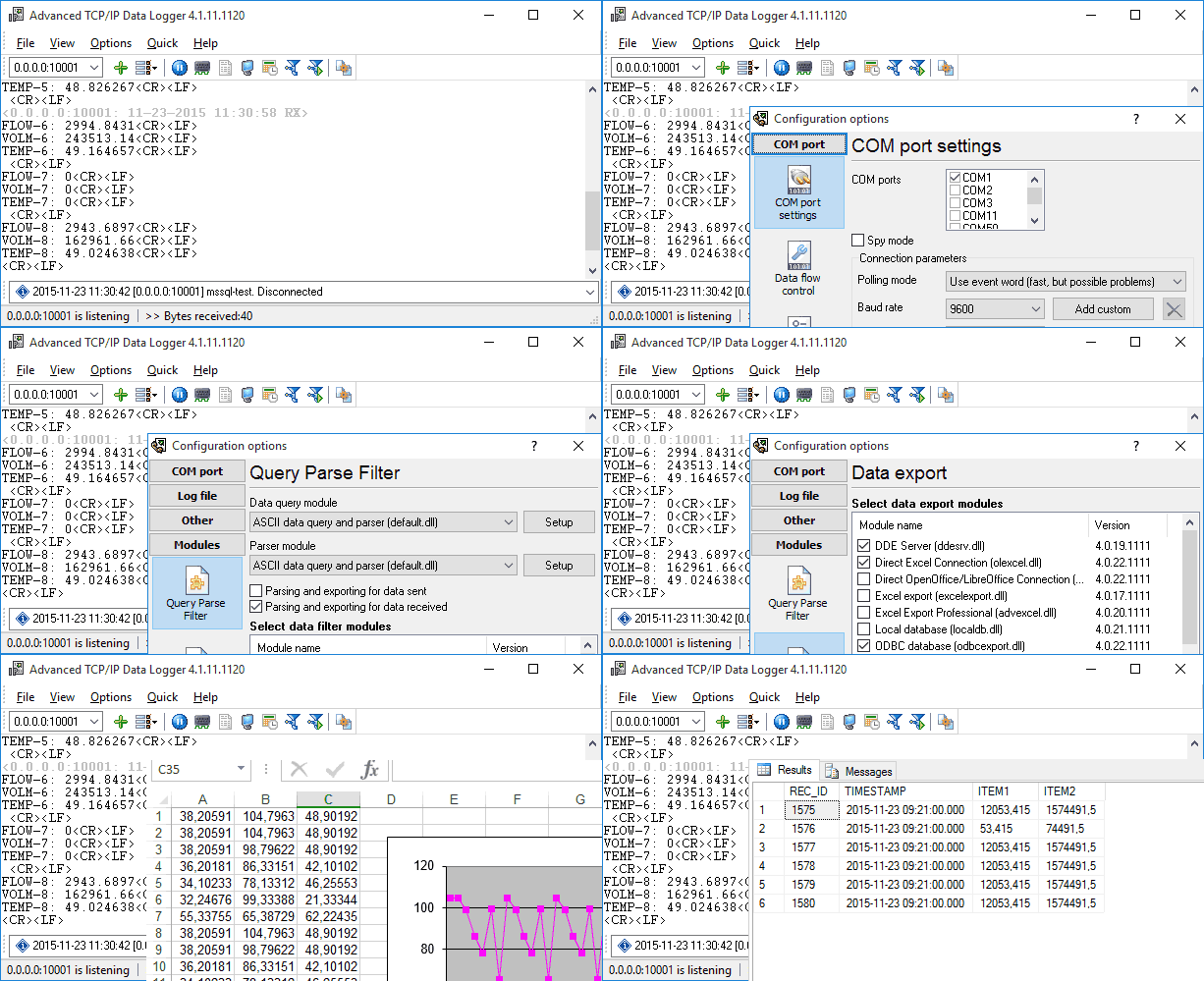
Advanced TCP/IP Data Logger works as a TCP client, a TCP server, or a UDP endpoint, on as many ports as you configure at once. In server mode it accepts many devices on one port and keeps their data apart. Incoming data is parsed with the same plugins as our serial logger: plain text, CSV, JSON, XML, syslog, HTTP requests, MODBUS TCP, BACnet/IP, EtherNet/IP and more. Values go to log files, Excel, SQL databases, cloud databases, OPC, MQTT, HTTP endpoints or another program, in real time, and the logger runs as a Windows service.
Guides: adding an IP data source (video), reading sensor data over an HTTP CGI interface, parsing network data, exporting to Excel, exporting to a database. The other loggers in the family, including OPC and SNMP, are on the data logger software page.
TCP/IP or UDP Data Logger
Logs data from TCP clients, TCP servers and UDP senders to files, Excel and databases. Client and server modes, multiple ports, Windows service.
Serial over Ethernet: TCP COM Bridge
TCP COM Bridge connects a COM port, real or virtual, to a TCP or UDP socket. Run it where the serial device is and it becomes a serial device server; run it where the software is and it creates a virtual COM port that talks to that server. Up to 256 ports per computer, TCP and UDP, client and server modes, and a service mode for unattended machines. Guides: building a COM port server, redirecting network data to a COM port, sharing a COM port on the LAN, printing to a receipt printer from remote accounting software, six serial-over-Ethernet tools compared.

TCP COM Bridge
Redirects or shares a real or virtual COM port through a TCP or UDP port, from simple device control to remote data logging.
Splitting a TCP or UDP stream
TCP Splitter takes one incoming TCP or UDP stream and delivers identical copies to two or three destinations, local or remote. It solves the case where two programs must both process one data source: a navigation system and a logger both reading one GPS or AIS feed, a call accounting system and a backup logger both receiving a PBX's call records, or two displays fed by one sensor. It can also connect two servers to each other and convert UDP multicast to unicast. Worked examples: GPS trackers to two monitoring applications, PBX call logs to two destinations, OSC data to two applications, UDP multicast to unicast.

TCP/IP or UDP Data Stream Splitter
Splits a TCP or UDP stream into two or three identical streams so more than one application can process the same data.
MODBUS TCP
Advanced TCP/IP Data Logger polls MODBUS TCP devices directly, and the power meter library has register maps for 178 meter brands and models, including Sunspec inverters and the Siemens Sentron PAC3200. MODBUS Gateway converts between MODBUS TCP and MODBUS RTU in both directions so that network masters can reach serial slaves, and Datatag Link syncs MODBUS registers with SQL, MQTT and OPC. All MODBUS tools are compared on the MODBUS software page.

Free tools

TCP/IP or UDP Data Stream Emulator
Reads a data stream from a file and sends it to a TCP or UDP port, replaying communications captured from a real device so you can test without the hardware.
Frequently asked questions
Client or server: which mode do I need?
If the device connects to a configured IP address and port, our software must listen there: server mode. If the device listens and waits, our software connects to it: client mode. The TCP/IP logger and TCP COM Bridge support both, on any number of ports.
Does the logger handle many devices on one port?
Yes. In server mode every connected client is tracked separately, and the parser can use the client's address as a variable, so data from each device can be routed to its own table or file.
Does it work across the Internet, not only the LAN?
Yes, as long as the listening side is reachable: a public IP address or a port forwarded on the router, and a firewall rule for the port. Check your public IP here.
Which Windows versions are supported?
Windows 11 and 10, Windows Server, 32-bit and 64-bit. Older releases back to Windows 2000 still work.
Related categories
Data logger software · COM port software · RS232 software · RS485 software · MODBUS software · OPC software