
OPC to MySQL Database: Driver, Table Layout and Binding
Configuring how to write OPC data to a MySQL database is similar to configuring how to write data to MSSQL. Only the main differences are described in this manual. The complete procedure, from adding OPC tags to mapping them to table columns, is in how to log OPC data to a SQL database.
1. Download and install the 32-bit version of MySQL ODBC Connector (the ODBC driver) for MySQL from mysql.org.
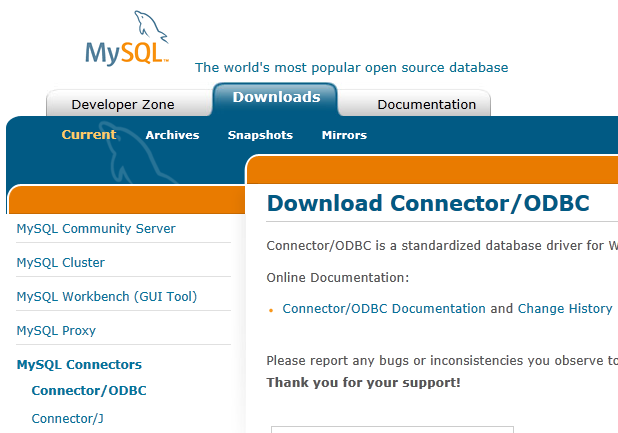
Fig. 1 Driver section
2. The structure of a table in the database will look like this:
2.1 In the case of writing a lot of OPC items
CREATE TABLE opc_data (
  REC_ID int(11) NOT NULL AUTO_INCREMENT,
  TIMESTAMP datetime DEFAULT NULL,
  ITEM_NAME varchar(25) NOT NULL,
  ITEM_VALUE varchar(255) DEFAULT NULL,
PRIMARY KEY (REC_ID)
) ENGINE=InnoDB DEFAULT CHARSET=latin1;
2.2 In case of writing several OPC items
CREATE TABLE opc_data_2 (
  REC_ID int(11) NOT NULL AUTO_INCREMENT,
  TIMESTAMP datetime NOT NULL,
  ITEM1 varchar(30) DEFAULT NULL,
  ITEM2 varchar(30) DEFAULT NULL,
  PRIMARY KEY (REC_ID)
) ENGINE=InnoDB DEFAULT CHARSET=latin1;
If you specify any other data type than String for ITEM1 or ITEM2 in the OPC settings, you should create the columns of the corresponding types while creating a table.
3. Create an ODBC data source for your MySQL database.
4. During "Binding", you should take into account that the names of the table and its columns are case-sensitive in MySQL.
This guide logs a history: every value change adds a row. To keep a MySQL table in sync with the current tag values, and to write table changes back to the OPC server, use the OPC to SQL link of Datatag Link instead.
Related articles: OPC to MySQL Database: Driver, Table Layout and Binding
- Inserting OPC data to MS Access database through ODBC (features: adding groups and items, inserting to an ODBC database)
- Adding a timestamp in the CSV file (features: OPC groups)
- How to log OPC data to a SQL database.
- OPC to MSSQL: Writing a lot of OPC tags to MS SQL database
- OPC to MSSQL: Writing several OPC tags to separate columns
- OPC to MySQL: Writing OPC tags to MySQL database
- OPC to a database: Writing OPC tags to a database
- OPC to SQL with Datatag Link: a live two-way link instead of a log
- OPC to Excel: Writing OPC data to Excel
- Filtering data by a tag value and write data to a database only when the value will change
- Filtering data out if an OPC tag value is not equal to a specified value
- Processing or storing OPC data by an event from the OPC server
- Aggregating data from multiple servers to one OPC server
Related topics: Advanced OPC Data Logger
hereOPC Logger RS232 pinout and signals Cables and signals Data monitor cables