
TWedge vs Serial Data Logger: Detailed Comparison For 2026
Getting accurate numbers from the lab bench or factory floor into your database shouldn't be a headache. Nobody wants their team typing in weights, measurements, or barcode strings manually. It wastes time and guarantees typos. Middleware applications sit quietly in the background, grabbing readings directly from your instruments and feeding them into ERPs, spreadsheets, or custom databases.
If you are looking to automate this process, you have likely come across two heavyweights: TEC-IT's TWedge and AGG Software's Serial Data Logger. Let's dig into how they stack up against each other and figure out which one makes the most sense for your hardware.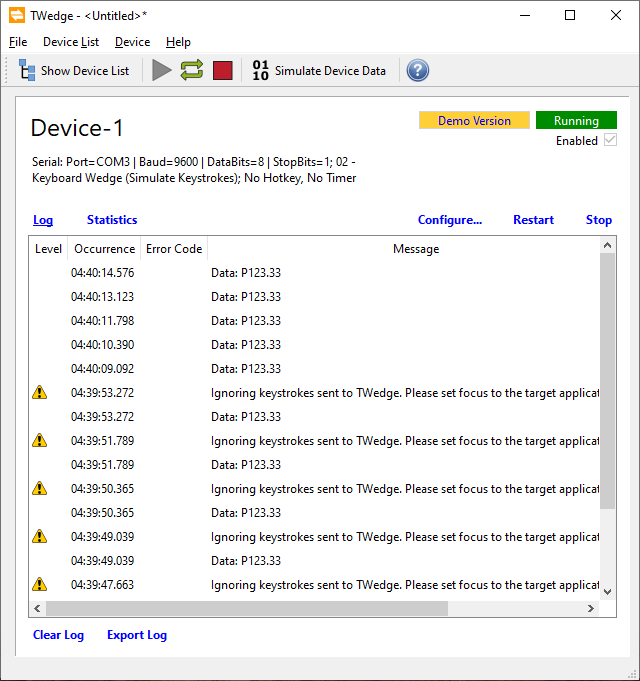
What Does TWedge Bring to the Table?
TEC-IT designed TWedge to act as a universal bridge. It grabs incoming data from almost any interface - RS232, USB HID, Bluetooth, or TCP/UDP - and shoves it into Windows applications.
People love it because it can act as a simple "keyboard wedge," pretending to be a phantom typist. However, its real muscle lies under the hood: an embedded V8 JavaScript engine. This means if you know how to write a little code, you can build custom parsing logic, set up specific device polling timers, and even trigger HTTP requests. Warehouse managers and lab techs frequently use it to link a single barcode scanner or digital balance right into SAP or an Access database.
The Middleware Landscape
While TWedge is highly capable, IT managers often look for alternatives when they hit its device licensing limits or want to avoid writing JavaScript for routine data filtering. Serial Data Logger by AGG Software serves as the most direct competitor in this arena.
You might also bump into legacy tools like WinWedge or heavy industrial suites like Kepware. Yet, for a true side-by-side comparison of serial and network data acquisition without enterprise-level bloat, Serial Data Logger is the smartest yardstick.
What We Looked At
To figure out which software wins, we broke down the comparison into five practical areas:
- Deployment Speed: Can a standard tech worker get it running quickly?
- Hardware Handshakes: What kind of ports and protocols do they talk to?
- Data Manipulation: How hard is it to clean up messy incoming data strings?
- Licensing Costs: What is the real cost when you scale up?
- Background Operation: Do they handle unattended server environments well?
Where TWedge Shines
TWedge earned its solid user base by doing a few specific things extremely well:
- Built-in Templates: The software ships with predefined action templates. If you just need basic keystroke simulation or a simple database drop, you can click a template and skip the coding.
- Massive Protocol Support: It handles native USB HID beautifully. It also speaks WebSockets, Bluetooth, and standard serial, making it highly adaptable.
- Total Scripting Control: Because it relies on JavaScript, developers can make TWedge do basically anything. You can craft entirely custom two-way communication protocols to poll specific sensors exactly when you want.
- Flexible Routing: It can send data to the clipboard, write to a text file, execute SQL statements via ODBC, or update an Excel sheet via DDE.
Where Serial Data Logger Takes the Lead
Despite its flexibility, TWedge hits a few snags depending on your environment. Here is where Serial Data Logger pulls ahead.
- No Coding Required for Complex Jobs: If your incoming data string is a mess and needs heavy filtering, TWedge forces you to write JavaScript. Serial Data Logger handles complex packet structures, binary conversions, and filtering using a suite of visual plugins. You just check boxes and fill in fields.
- Native Windows Service Operation: Serial Data Logger was built to run silently. You set it up as a true Windows Service, meaning it boots and starts logging before a human ever logs into the machine. TWedge can run as a service, but it's fundamentally designed around a desktop interface and system tray icons.
- Scaling Up Without Breaking the Bank: TEC-IT licenses TWedge strictly by device count. The base license (around €94) only covers a single device. If you want to monitor three devices, you have to buy the Pro version. Need five or more? You have to jump to the Datacenter edition, which costs nearly €400. Serial Data Logger lets you monitor multiple COM ports from a single base instance out of the gate. You only pay extra for the specific export plugins you need, saving serious cash as your hardware footprint grows.
Who Should Use TWedge?
Given its architecture, TWedge is a fantastic fit for:
- Developer-Heavy Teams: If you have staff who write JavaScript in their sleep, they will love the granular control.
- Isolated Workstations: Connecting exactly one USB barcode scanner to a shop floor PC to feed an ERP terminal. (When the target is a spreadsheet, see barcode scanner to Excel.)
- Protocol Hopping: Jobs that require bridging something like a Bluetooth receiver straight to a WebSocket connection.
Side-by-side UI Comparison Of Both Products
| TWdge | Serial Data Logger |
|---|---|
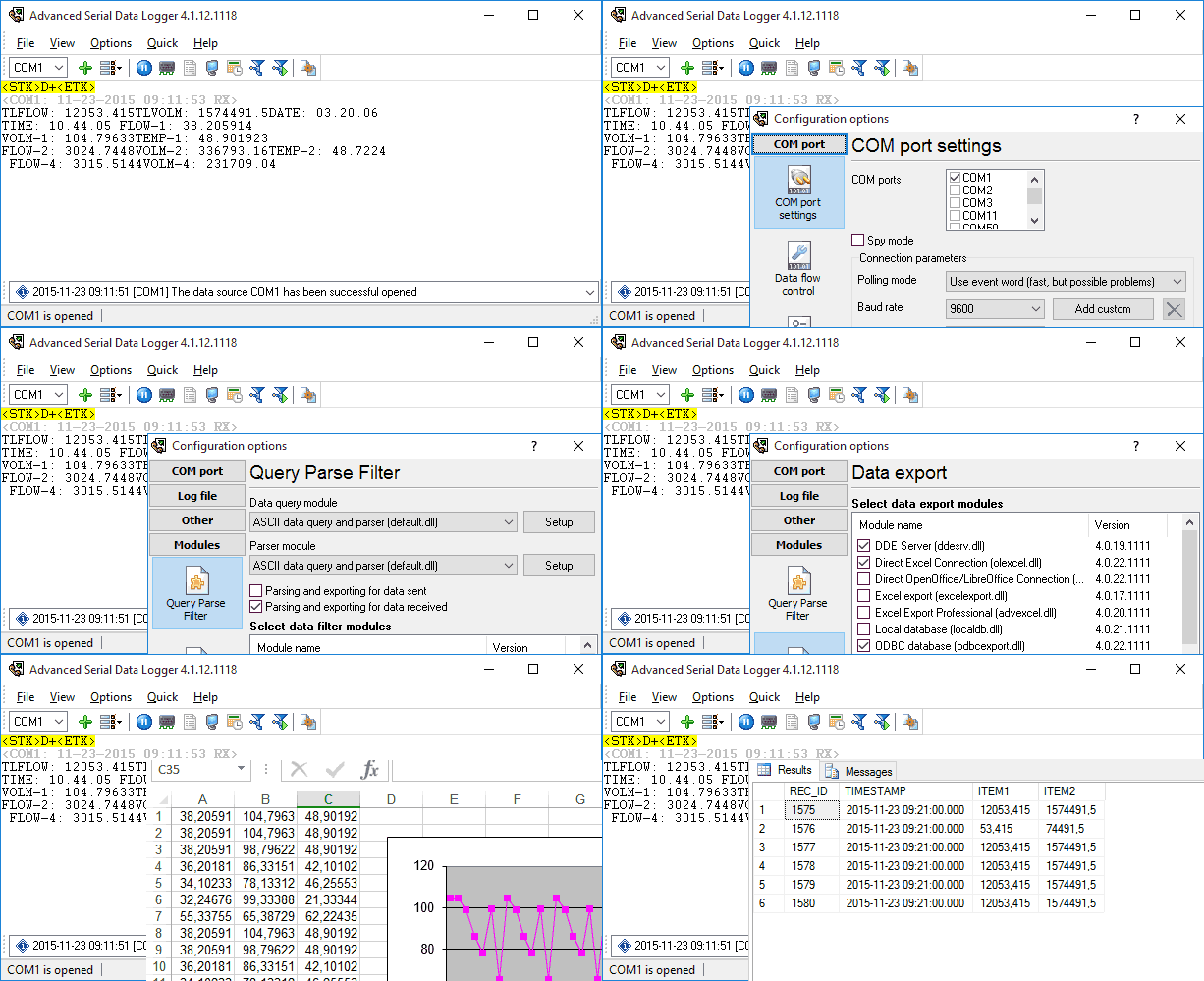
It looks like TWedge's main window is more task-oriented, while Serial Data Logger's view of data is more general and all-encompassing. | 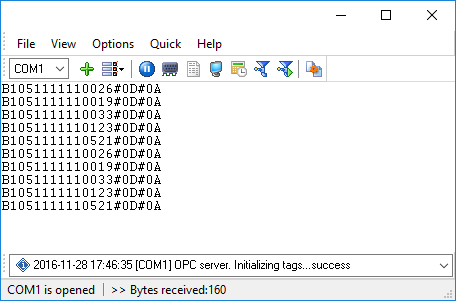 |
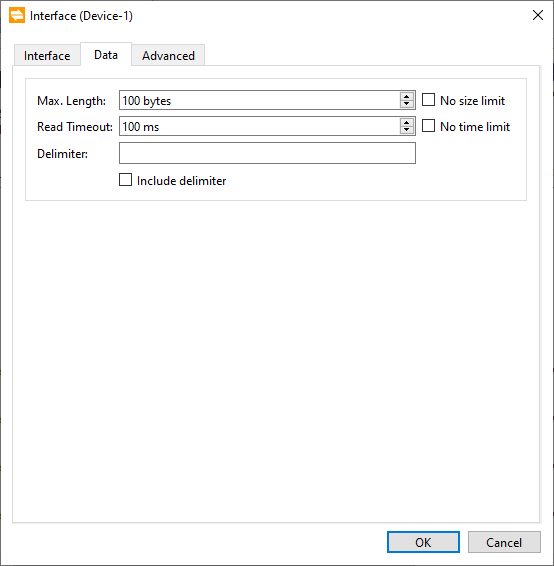
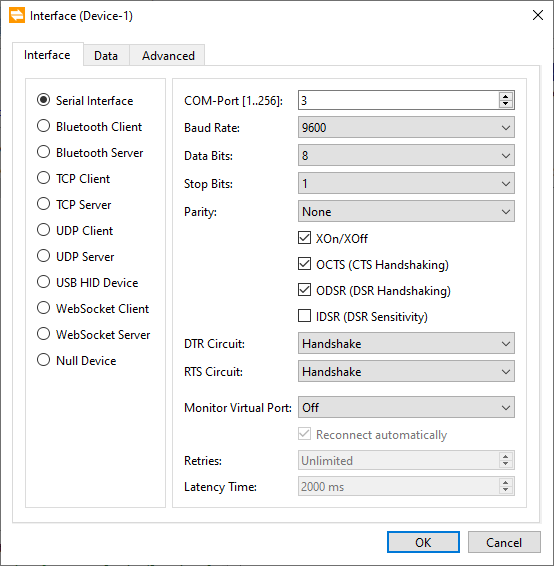 The COM port settings are rich in both applications. Some of the data interfaces that TWedge has are missing from the more similar Data Logger Suite. | 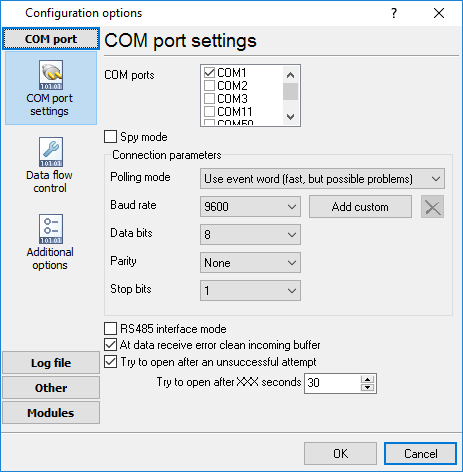 |
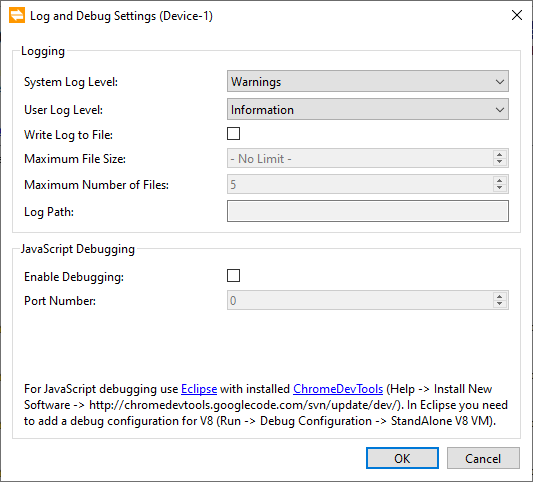 Both utilities offer the equivalent settings. It has everything you need to find a rare bug in the program. | 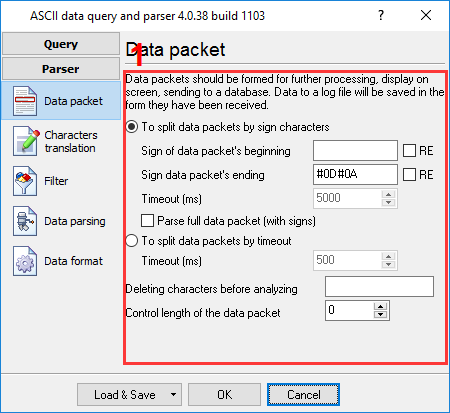 |
 There are too many differences here. If you want to change how TWedge parses something, you should use scripts. Serial Data Logger has a better interface and more choices for it. | |
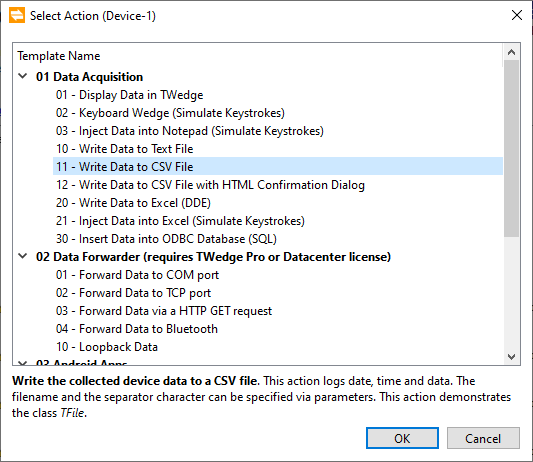 The list of data export actions in TWedge is righ and enough for the keyboard wedge task. Serial Data Logger offers many data export plugins too. | 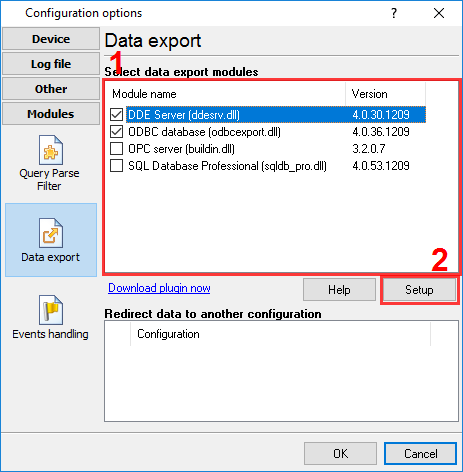 |
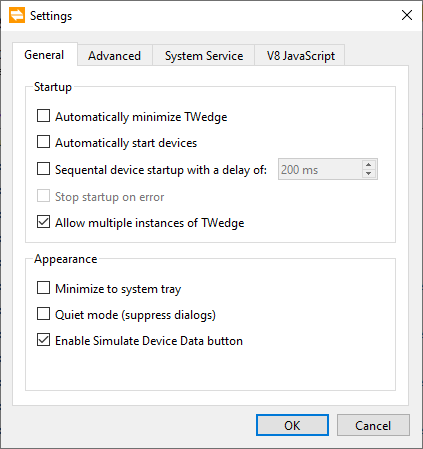 Both utilities provide similar settings for comfortable daily usage. | 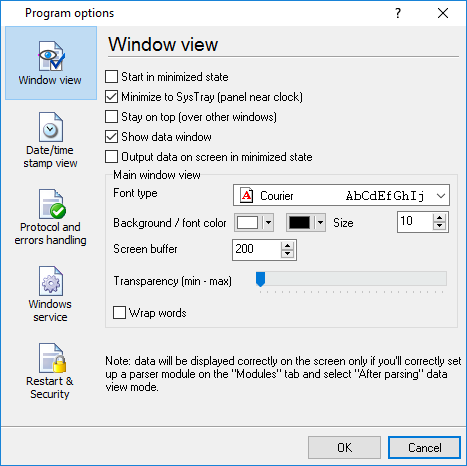 |
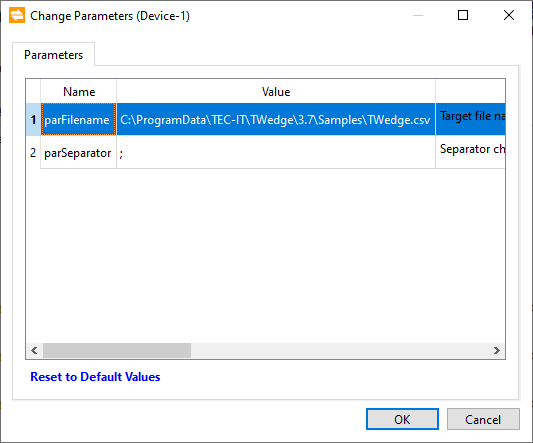 At this point, TWedge appears unsightly. There's not much to configure. | 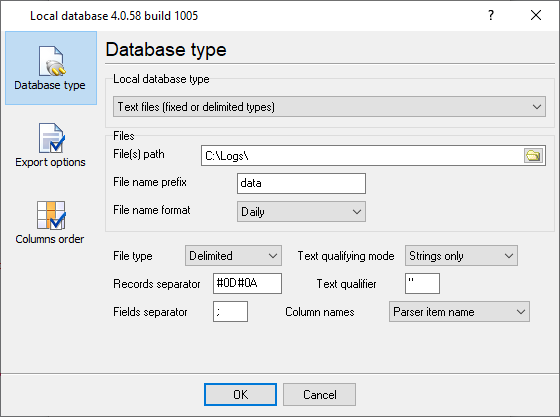 |
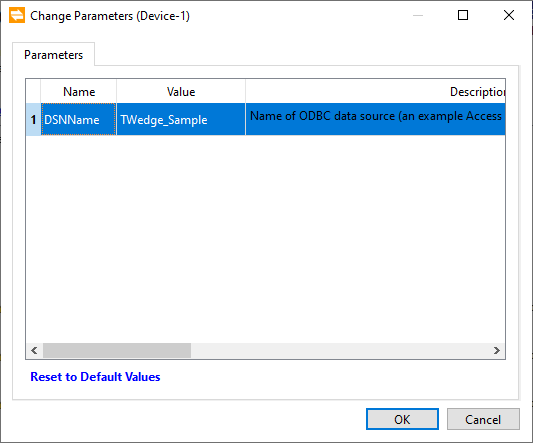 The ODBC data export method is another major roadblock. Since it forces you to write custom JavaScript just to manage the database connection, it's practically off-limits to anyone without a programming background. | 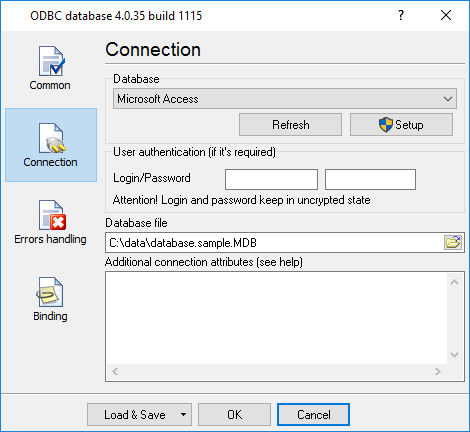 |
Final Thoughts
Your choice really depends on two things: your budget for multiple devices and your tolerance for writing code.
Go with TWedge if you are setting up a single scanner or scale and want the absolute freedom to script custom logic. It is a highly polished tool for straightforward desktop integrations.
Look closely at Serial Data Logger if you are managing a fleet of devices, building an unattended server setup, or simply hate writing scripts. The modular pricing and visual plugin system make it a much friendlier platform for handling multiple messy data streams in a busy IT environment.
Common Questions
Q: Will I have to learn how to code? A: TWedge gives you basic templates for standard tasks, but any advanced data filtering requires JavaScript. Serial Data Logger skips the scripting entirely, relying on a visual interface and plugins.
Q: Do these applications work with standard USB hardware? A: Yes. TWedge has direct support for USB HID devices, which covers most modern scanners. Serial Data Logger handles any USB hardware that generates a Virtual COM port.
Q: Can I dump the readings straight into an SQL server? A: Both handle SQL drops perfectly. TWedge uses ODBC connections triggered by scripts. Serial Data Logger features visual database export plugins that are very fast to configure.
Q: How do they handle running in the background? A: Serial Data Logger handles unattended environments natively. It runs flawlessly as a Windows service before user login. TWedge is generally meant to sit in the system tray during an active desktop session, though you can configure it to run as a service with some extra effort.
Q: Am I limited on how many instruments I can hook up? A: TWedge tightly controls this based on how much you pay. The entry-level license limits you to one single device. Serial Data Logger lets you hook up multiple ports on a single base license, which scales much better.
Related topics: Advanced Serial Data Logger
hereSerial port interface | RS232 port logger | Com port logger | Data acquisition | RS232 data logger | Data Logger Software For Electricity Meter | Replace WinWedge | Replace TWedge | RS232 to SQL database | Barcode to Excel