
WinWedge vs Serial Data Logger by AGG Software: 2026 Clear Comparison
Introduction to Data Capture Tools
Accurate data matters on the shop floor and in the lab. Typing numbers by hand from scales, calipers, barcode scanners, or sensors eats up time and invites typos. Data capture software acts as a bridge between your hardware and your apps. It automatically grabs readings and feeds them directly into your database, ERP system, or a simple Excel spreadsheet. Our guide to scanning barcodes into Excel shows the plain keyboard-wedge setup next to the logger route.
Picking the right tool saves hours of headache. But with so many options, deciding can be tough. Let's look closely at two major players-WinWedge and Serial Data Logger-so you can find the right fit for your hardware setup.
What is WinWedge?
TALtech's WinWedge has been a recognizable name in data logging for years. It collects data from devices using RS232, RS485, or USB serial outputs and dumps it straight into any Windows application.
Think of it as a "wedge" jammed between your instrument and your PC. It intercepts incoming serial data and translates it into simulated keystrokes or passes it along via Dynamic Data Exchange (DDE). Lab techs, quality control managers, and production supervisors usually lean on it. It's an easy way to get weights, temperatures, or dimensions directly into Excel or a Laboratory Information Management System (LIMS) without hiring a programmer.
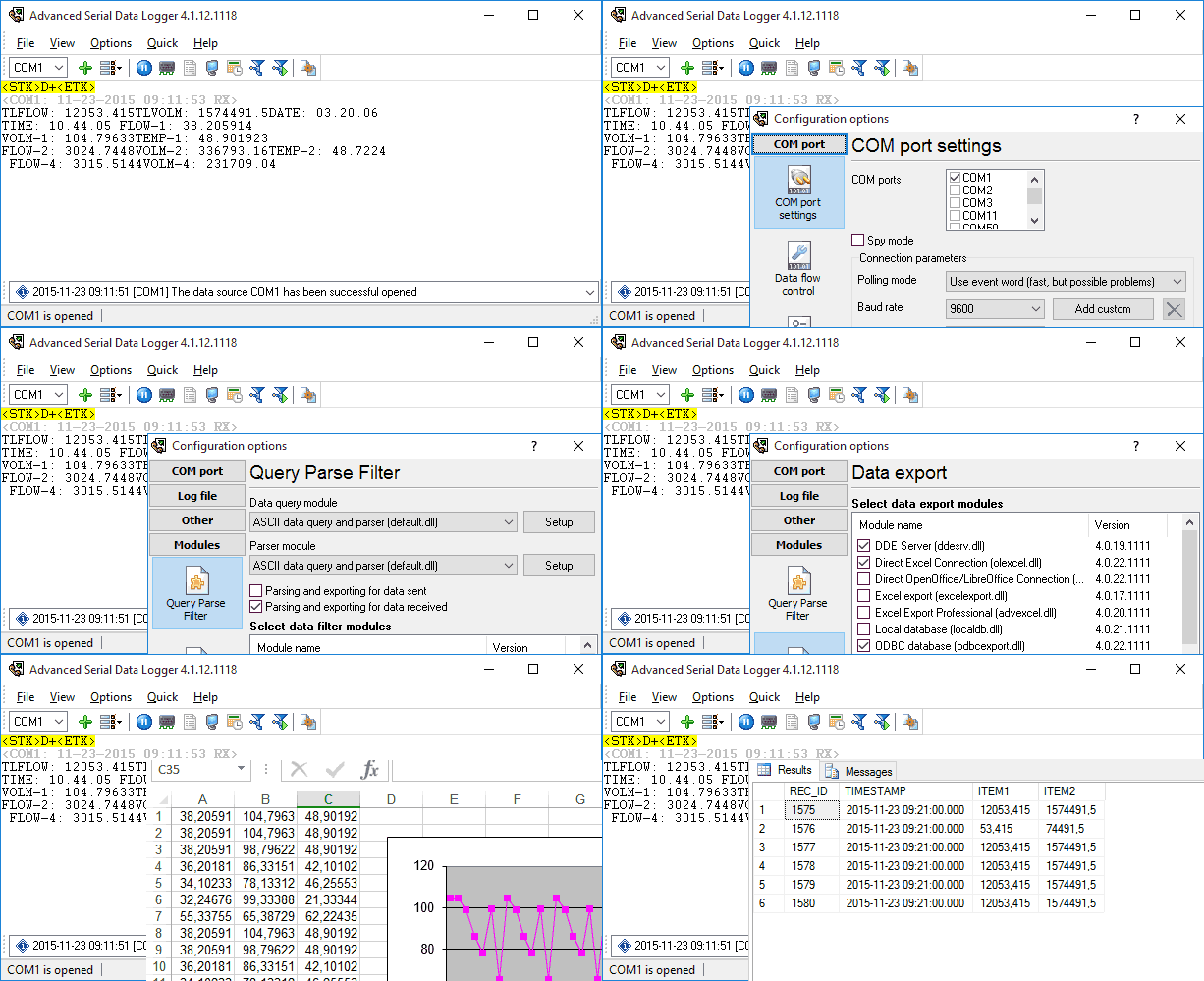
Key Competitors and Alternatives
WinWedge does its job well, but some setups need different tools. IT folks often hunt for winwedge alternatives when they hit a wall. Serial Data Logger by AGG Software stands out as the most direct alternative here.
You might also hear about industrial platforms like TWedge, Kepware, which leans heavily into OPC servers, or DataLogix. But for a straight feature-to-feature comparison of serial data collection software, Serial Data Logger is the closest match, giving advanced users a lot more room to breathe.
Comparison Criteria
To give you a fair comparison of WinWedge vs Serial Data Logger, we looked at five main areas:
- Ease of Use: How fast can someone with zero programming experience set it up?
- Compatibility: Which operating systems, devices, and network protocols are supported?
- Features: What extra tools do you get for filtering data and two-way communications?
- Pricing: What does the license cost upfront, and how does it scale?
- Support: Are the tutorials, docs, and customer service actually helpful?
WinWedge's Strengths
WinWedge has stayed popular for a long time for a few good reasons:
- Incredible Ease of Integration: The keystroke macro feature is pretty much foolproof. If you know how to type a number into an Excel cell, you can make WinWedge automate it. Setting up a basic scale takes almost zero IT knowledge.
- Rock-Solid Reliability: It's incredibly stable. You configure it once, and it runs in the background without crashing. That's a big deal on continuous manufacturing lines.
- Customer Satisfaction: People like that it does exactly what it says on the tin.
- User Testimonial / Case Study: A medium-sized chemical lab recently cut the number of transcription mistakes by 45%. They saved 20 labor hours a week just by setting up the wedge application to push digital balance readings straight into a custom Microsoft Access database.
Weaknesses and Limitations (Where Serial Data Logger Excels)
WinWedge is reliable, but it has its limits-especially when you put it next to Serial Data Logger. If you need to tricky manipulate data, WinWedge might let you down.
- Advanced Parsing and Filtering: Serial Data Logger handles complex data strings, binary packets, and custom packets with a wide set of plugins. WinWedge's parsing tools can feel pretty basic if your data stream gets complicated.
- Direct Database Integration: WinWedge uses keystrokes to export data to apps like MS Access or your frontend form for other databases. Serial Data Logger writes data directly to databases like MSSQL, MySQL, Oracle, or PostgreSQL using ODBC. You don't need a spreadsheet sitting in the middle.
- Running as a Windows Service: Serial Data Logger can be set up to run in the background as a Windows Service. It starts logging before anyone even logs into the machine. That's huge for unattended servers. WinWedge generally needs an active user session.
- Detailed Pricing Comparison: WinWedge sticks to a flat pricing model. You usually pay around $399 for the Standard edition and $499 for Professional. Serial Data Logger breaks its pricing down. You buy the base software for a lower entry price (usually between $100 and $210) and only add the specific export plugins you need. This makes it a really budget-friendly winwedge alternative.
Ideal Use Cases for WinWedge or Serial Data Logger
Because of how it's built, WinWedge really shines in a few specific spots:
- Laboratory Automation: Plugging a single digital scale or micrometer into a PC to dump values right into a QC sheet.
- Simple Serial Port Data Logging: Jobs where you only need basic parsing, like stripping out a couple of prefix letters before hitting the 'Enter' key.
- Non-IT Environments: Small shops or departments without an IT guy on hand. They just need something that acts like a phantom keyboard out of the box.
Conclusion and Recommendations
The decision between WinWedge and Serial Data Logger is primarily determined by the hardware configuration and the purpose of the data.
WinWedge is still a great pick if you want something simple. If you just need flawless keystroke injection right into desktop apps like Excel, it won't let you down. It's a safe, legacy choice for basic data collection.
But if your project has multiple data streams, complicated parsing, or unattended servers, take a look at Serial Data Logger. It gives you direct enterprise database writing and modular pricing. It's built to handle the heavy lifting in automated IT environments. Additionally, you get similar loggers for other communication interfaces (TCP, UDP, USB HID, OPC, etc.). Or use Data Logger Suite with all interfaces in one application for complex usage cases.
Side-by-side UI Comparison Of Both Products
| WinWdge | Serial Data Logger |
|---|---|
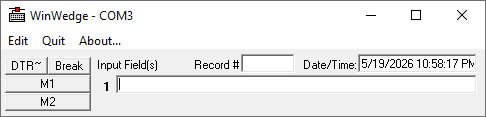 Main windows are simial. The window contains a menu to access configuration options. Serial Data Logger also shows a history of incoming data. | 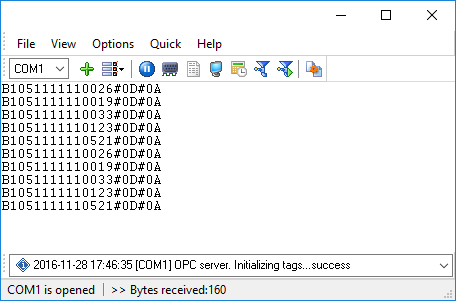 |
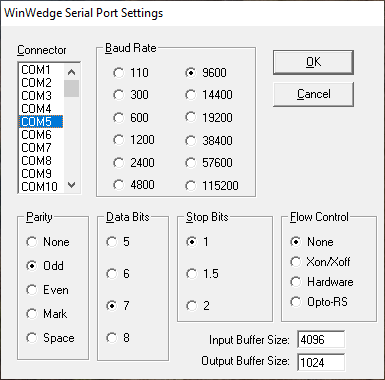 COM ports are similar too. But Advanced Serial Data Logger can also work in the "Spy" mode, in parallel with another application on the same port. | 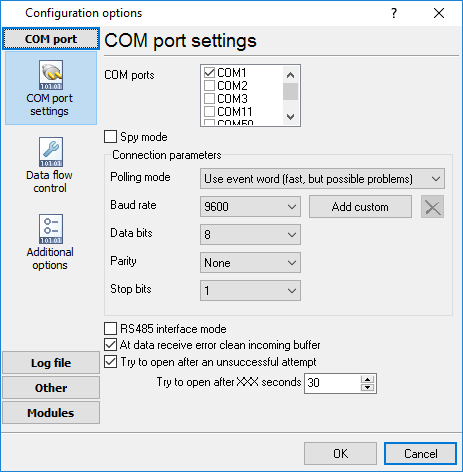 |
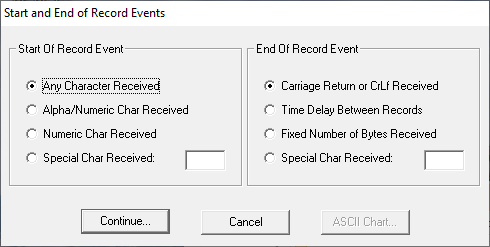 The main concept in data parsing is similar. First, both products take out a data packet that has data in it. It's clear that the Advanced Serial Data Logger has more ways to parse data. | 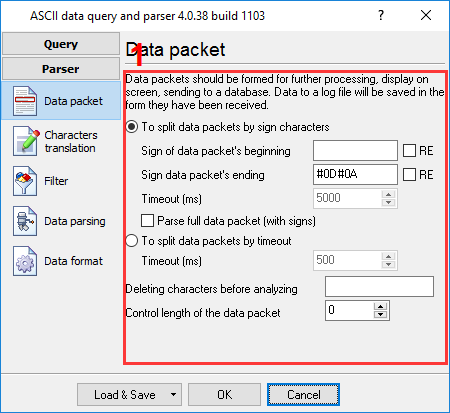 |
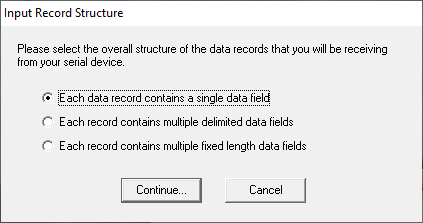 After this, WinWedge uses the unified way to extract one or more items. That is, it only splits data by a character chosen by the user. Serial Data Logger lets you get each item out in a different way. | 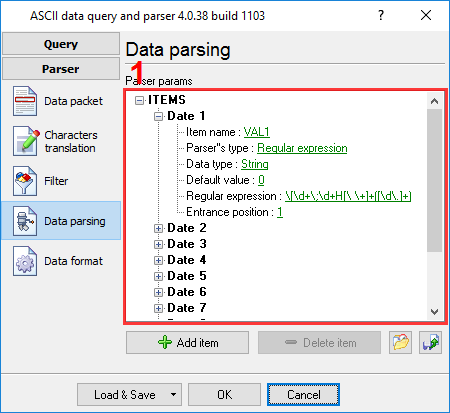 |
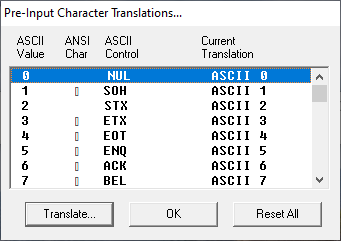 Additionally, there are additional alternatives in the logger's character translation table. | 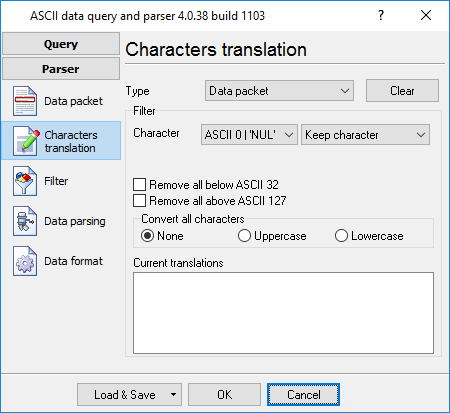 |
FAQs
Q: Do I need programming skills to use these data capture tools? A: No. WinWedge uses visual menus to set things up, so you don't need to code. Serial Data Logger also has a standard interface (GUI), though some of its plugins might ask you to connect your database structures or use regular expressions for tricky data parsing.
Q: Can WinWedge and Serial Data Logger handle USB devices? A: Yes. Both handle USB devices fine, as long as the device creates a "Virtual COM Port" on the computer. Most modern USB industrial tools do exactly this. Data Logger Suite can add more data source interfaces if you need them.
Q: Which software is better for logging data to an SQL database? A: Serial Data Logger wins here. WinWedge Pro can't log to SQL via ODBC, but Serial Data Logger has dedicated database plugins. They run faster and are more reliable when operating in the background.
Q: Is there a limit to how many ports I can monitor? A: Serial Data Logger scales well and handles multiple ports at the same time in one window. It is great for big setups. WinWedge can handle multiple ports too, but you usually have to run multiple copies of the program or upgrade to the Professional version to do it right.
Q: Can I run them in the background as a Windows service? A: Serial Data Logger handles this natively. You can set it up as a true Windows service, so it boots up and starts capturing data before anyone even logs into the machine. That makes it perfect for unattended servers. WinWedge can run out of sight if you use the Windows Task Scheduler or drop it in the Startup folder. But since it relies heavily on injecting keystrokes into other open apps, it usually needs an active user session to work right. If you want a setup you can ignore completely, Serial Data Logger does the background job better.
Related topics: Advanced Serial Data Logger
hereSerial port interface | RS232 port logger | Com port logger | Data acquisition | RS232 data logger | Data Logger Software For Electricity Meter | Replace WinWedge | Replace TWedge | RS232 to SQL database | Barcode to Excel