
How to Check or Test a COM Port in Windows 11: CMD, PowerShell
Quick answers and steps for testing serial (COM) ports on Windows, including how to check COM ports in Windows 11 or Windows 10 and verify data flow. To test a port without installing anything, use our free online COM port tester in Chrome or Edge.
How do I find which COM port Windows assigned to my device?
Open Device Manager: press Windows+X and choose Device Manager (or right-click Start). Expand Ports (COM & LPT). The device name shows as COMx (for example, COM3). If you don't see Ports, check Universal Serial Bus controllers or Other devices for unknown entries, install drivers, and then recheck.
How to list all serial ports from a command line in Windows 10 or Windows 11
If you need to know how to check the COM port in Windows from the command line, open Command Prompt or PowerShell and use commands like "mode" to display active serial ports. "wmic path win32_serialport get deviceid,caption" to list port names and descriptions, or in PowerShell run:
Generic COM port devices:
Get-CimInstance Win32_SerialPort | Select-Object DeviceID,Caption
to see all COM ports and their details on Windows 10 or Windows 11, including temporarily unavailable ones:
Get-PnpDevice -FriendlyName '*COM*' | Select-Object FriendlyName,InstanceId
You can use the free COM Port List utility to list all COM ports on the system in sorted order. It also lets you view port descriptions or display only USB-COM ports. Unpack the ZIP archive and start it with the following command line parameters.
Usage:
 comportlist.exe [/usb] [/desc] [/hwid]
  /usb - output USB-COM devices only
  /desc - output COM port description
  /hwid - output hardware ID for USB-COM devices
How can I test if the COM port is responding using built-in Windows tools?
Use the Command Prompt to run the mode command and test basic port configuration. Steps: Open Command Prompt as administrator and type mode COM1 (replace COM1 with your port). The output shows baud rate, parity, data bits, and stop bits. To check if the port opens without errors, you can also run type \\.\COM3 (may block if nothing sends data) or use echo to send:
echo test > \\.\COM3.
If no error is returned, Windows opened the port successfully. This method also works with high port numbers like COM103.
What's a simple loopback test to verify send/receive on a COM port?
A loopback test checks that the port can transmit and receive. Perform these steps:
- Power off the device and connect a loopback plug by joining TX (transmit) to RX (receive) for the port pins (for RS-232, connect pin 2 to pin 3 on a DB9).
- Open a terminal program (PuTTY, Serial Port Monitor, or Windows PowerShell).
- Configure the session to the correct COM port and serial settings (baud, parity, data bits, stop bits).
- Type characters; if you see them echoed back, TX and RX work.
- Remove the loopback before reconnecting the external device.
The Serial Port Tester runs the same test from the browser, with no terminal: it sends test data through the plug at every common baud rate from 1200 to 921600, compares what comes back, and checks that CTS, DSR and DCD follow RTS and DTR.
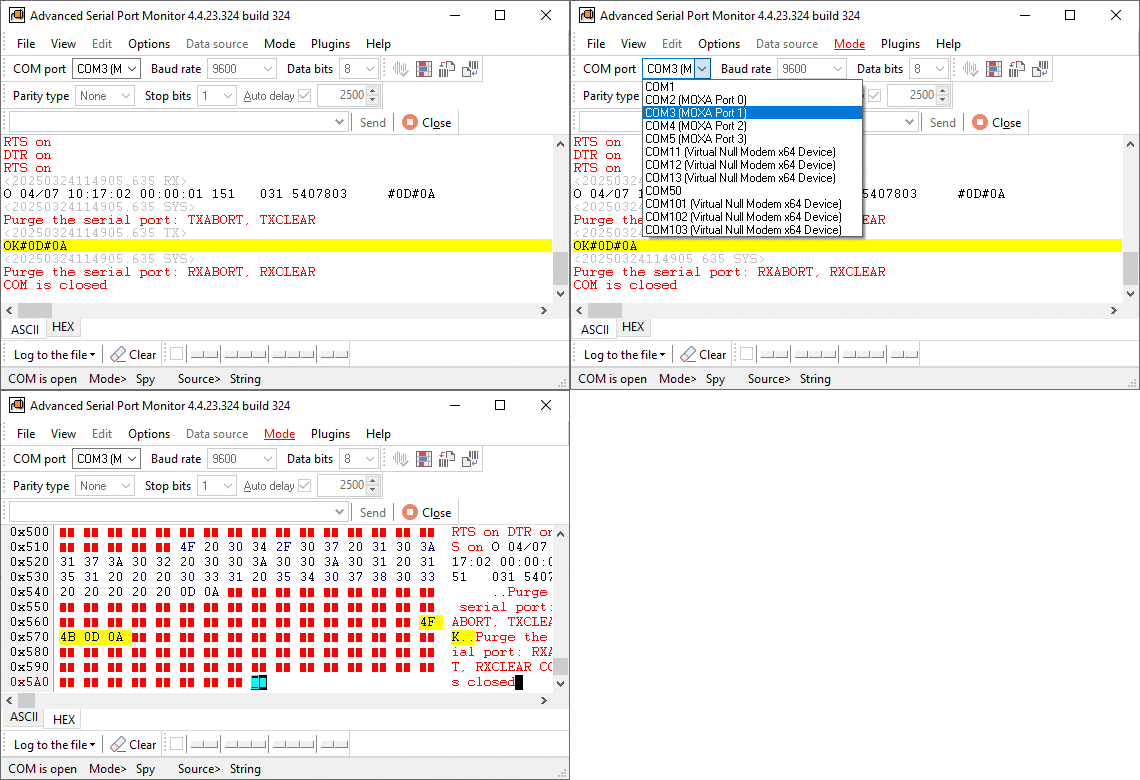
How do I check COM ports using PuTTY or another serial terminal?
Download and open PuTTY, select the Serial mode as the connection type, enter the COM port name (e.g., COM3), and set the correct speed (baud) and other serial parameters. Click Open. If the terminal opens without errors, the port is accessible. To verify data flow, use a loopback or a known serial device that sends data, or a null-modem cable to check two ports at once. PuTTY will display incoming bytes and let you send bytes to the device.
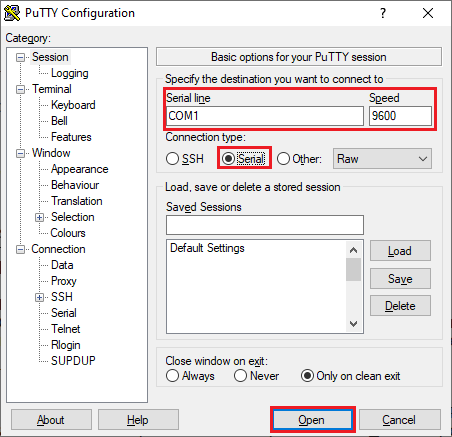
How can I use PowerShell to check or test a COM port?
PowerShell can open, read, and write serial ports using .NET classes. Example snippet to open COM3, send text, and read response (copy/paste it as a single line):
$port=New-Object System.IO.Ports.SerialPort 'COM3',9600,'None',8,one; $port.Open(); $port.WriteLine('hello'); Start-Sleep -Milliseconds 200; $resp = $port.ReadExisting(); $port.Close(); $resp
Replace COM# or parameters as needed. For a simple existence check, you can list available ports (properly detected, without driver errors) with:
[System.IO.Ports.SerialPort]::GetPortNames()
The command output will include COM ports recognized by Windows OS.
Additional technical tips
Remember to install correct drivers, use the right voltage levels or adapters (RS-232 vs TTL), and avoid connecting equipment while power is applied unless specified safe. For more detailed troubleshooting, check Device Manager error codes or consult device documentation.
See also
5 Common Errors with COM Port Operations on Windows
COM Ports: Used & Full List
COM Port Not Working in Windows
How to Test a COM Port in Windows
Garbled Serial Data on a COM Port: 7 Checks in Order
5 Ways To Send Data To COM Port From Command Line in Windows
How To Add COM Port Device On Windows Computer
Related topics: Advanced Serial Port Monitor
hereRS232 monitor RS232 analyzer COM Port Debug RS232 terminal Serial port sniffer Serial port spy UART monitor RS232 pinout and signals Data monitor cables.