
Docklight vs. Advanced Serial Port Monitor: RS232 Terminal Alternative
Navigating Modern Serial Debugging
For engineers working on Windows 11 and Windows 10, choosing the right tool to monitor COM ports is critical. Two of the most popular professional choices are Advanced Serial Port Monitor (ASPM) and Docklight.
While both programs are highly capable, they serve different primary goals. Docklight is often viewed as a "sequencer" for testing responses. On the other hand, Advanced Serial Port Monitor is a complete solution that includes a professional terminal and powerful, non-intrusive monitoring.
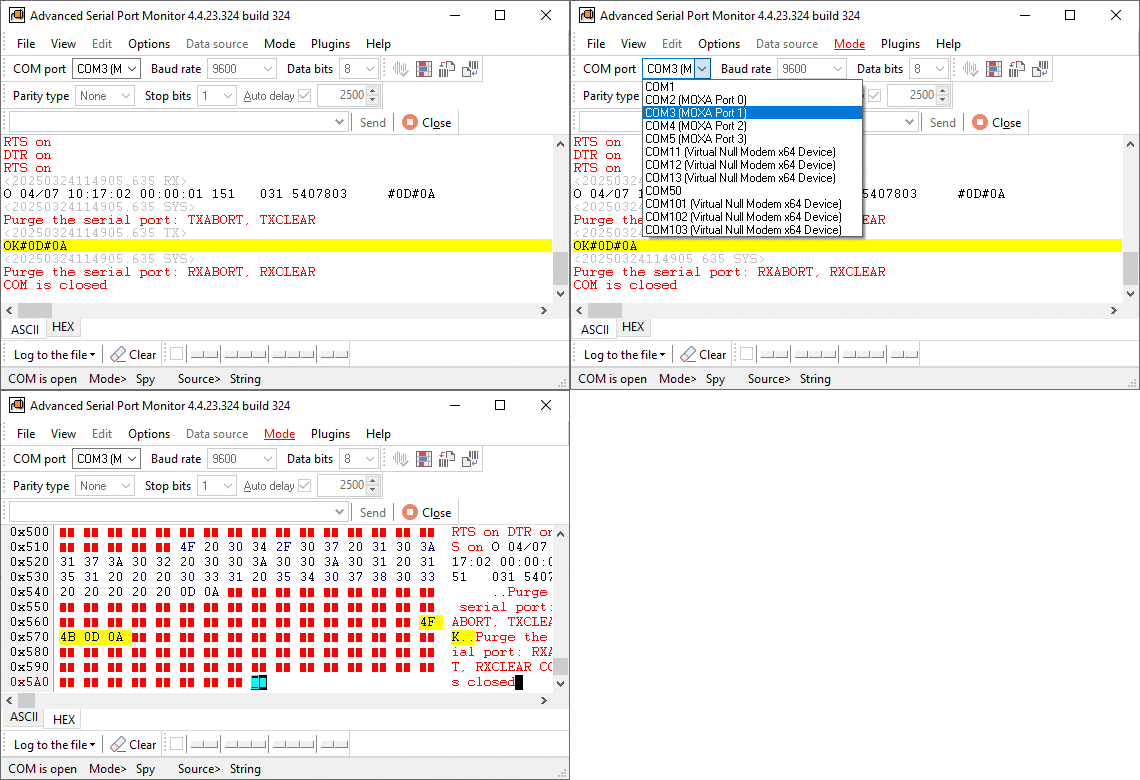
Feature Breakdown: ASPM vs. Docklight
1. Professional Terminal Mode
A good terminal should allow you to talk to your hardware easily.
- Docklight: Uses a "project-based" approach where you define sequences to send and receive.
- ASPM: Offers a more flexible Terminal Mode. You can enter data quickly and "on the fly", and it shows you what the hardware is sending back at the same time. You can send files, individual strings, or automated pulses with a single click. By using a plugin, you can define up to 20 predefined commands that you can send by pressing a hotkey or screen button.
2. HEX Output Clarity
When debugging industrial protocols like Modbus or custom binary streams, seeing the raw data is non-negotiable.
- ASPM Advantage: ASPM excels at HEX visualization. It displays data in organized blocks (you can define number of bytes per row in the settings) with corresponding ASCII characters on the side. It also color-codes "Sent" and "Received" data, making it much easier to read than standard scrolling text windows.
3. Industrial-Grade Logging to File
If you are running a "soak test" or monitoring a device for intermittent errors over several days, logging stability is the most important feature.
- ASPM Capability: ASPM can log data to a file in the background without slowing down your computer (up to 2 GB) and includes millisecond-accurate timestamps for every data packet (+ a difference with the previous data packet). Sending and receiving data can be saved in different files, and you can make a new file for each data packet.
Typical Usage Scenarios
Scenario A: Simple Sequence Testing (Docklight)
A developer is testing a smart light switch. They want to send the command TURN_ON and see if the device returns OK.
- The Result: Docklight is great for this. The developer can create a list of "Sent" and "Received" sequences to verify the basic logic of the switch.
Scenario B: Live Industrial Troubleshooting (ASPM)
An engineer has a PLC (Programmable Logic Controller) connected to a PC dashboard. Occasionally, the dashboard shows an "Error 505", but the engineer doesn't know why.
- The ASPM Solution: The engineer uses ASPM in Manual Monitoring Mode. So ASPM can "sniff" the talk between the PLC and the current dashboard software without breaking the link. Of course, you can also build test sequences using the scripting engine.
- The Benefit: The engineer sees the raw HEX data in real-time. They find a hidden "Damaged" packet that only appears once every hour. By logging the HEX output to a file with timestamps, they prove exactly when the error happens.
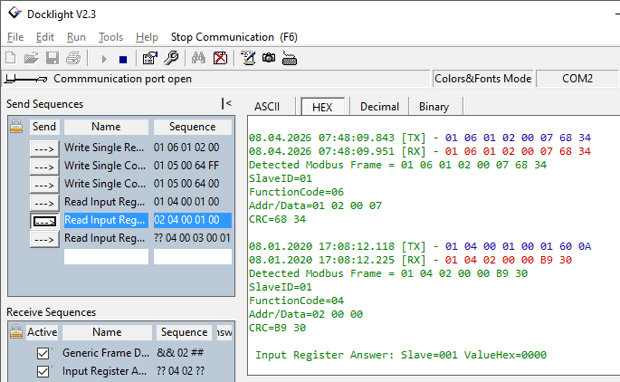
Frequently Asked Questions: ASPM vs. Docklight
1. Can Advanced Serial Port Monitor watch multiple COM ports at the same time? Yes. ASPM allows you to open multiple instances of the program with fully different settings. This makes it much easier to track data flow across multi-port serial hubs.
2. Does ASPM support data redirection to a network? Using TCP COM Bridge software you can pipe incoming serial data directly to a TCP/IP or UDP socket, allowing your team to perform remote diagnostics over a LAN.
3. How do these tools handle non-standard baud rates? Advanced Serial Port Monitor is optimized for high-performance drivers. It can often handle custom, non-standard baud rates (like 250,000 or 500,000 bps) more reliably than tools limited by standard Windows API calls. You can add custom bauds in the program interface.
4. Can I trigger hardware signal errors for testing? Yes. Beyond just sending data, ASPM allows you to manually manipulate signal lines like DTR and RTS (click on the corresponding light indicator at the bottom). You can also simulate parity and framing errors to see if your device's firmware can correctly handle communication corruption.
5. What are the differences in licensing? While both tools offer perpetual licenses, ASPM provides a cheaper license if you count all included features (scripts, plugins). This allows organizations to choose a version that matches their specific needs rather than paying for features they don't use.
Final Verdict
If your work requires you to see data without stopping the existing communication, Advanced Serial Port Monitor has more chances to win. Its ability to act as both a standard terminal and an "invisible" sniffer makes it a 2-3-4-in-1 tool that Docklight cannot easily replicate without additional hardware.
Key Professional Benefits of ASPM:
- Spy Mode: Monitor ports that are already opened by other software.
- Data Handling: Seamlessly handle high-speed data at 115200 baud and higher.
- Flexible Export: Save your logs as plain text, binary, or formatted RTF/Word files for reports.
See also
How To Add COM Port Device On Windows Computer
6 Best Serial Port Monitor Tools (Guide & Comparison)
2 common reasons why applications failed to open serial port
How to Reset, Delete, or Restore a COM Port in Windows 11
Advanced Serial Port Monitor vs. 232analyzer
HyperTerminal Alternative for Windows 11 & 10
Docklight vs. Advanced Serial Port Monitor for Windows 11 & 10
Related topics: Advanced Serial Port Monitor
hereRS232 monitor RS232 analyzer COM Port Debug RS232 terminal Serial port sniffer Serial port spy UART monitor RS232 pinout and signals Data monitor cables.