
HyperTerminal Alternative for Windows 11 & 10
Why You Need a HyperTerminal Alternative
For many years, HyperTerminal was the standard tool for serial communication in Windows. However, Microsoft removed it starting with Windows Vista. Today, users on Windows 10 and Windows 11 need a modern replacement that is stable, fast, and supports professional features like HEX output and automated logging.
While you can still find "Private Edition" versions of HyperTerminal that can work in modern OS, they are built on old technology. Advanced Serial Port Monitor (ASPM) is designed for modern hardware, providing better driver support and specialized tools for engineers.
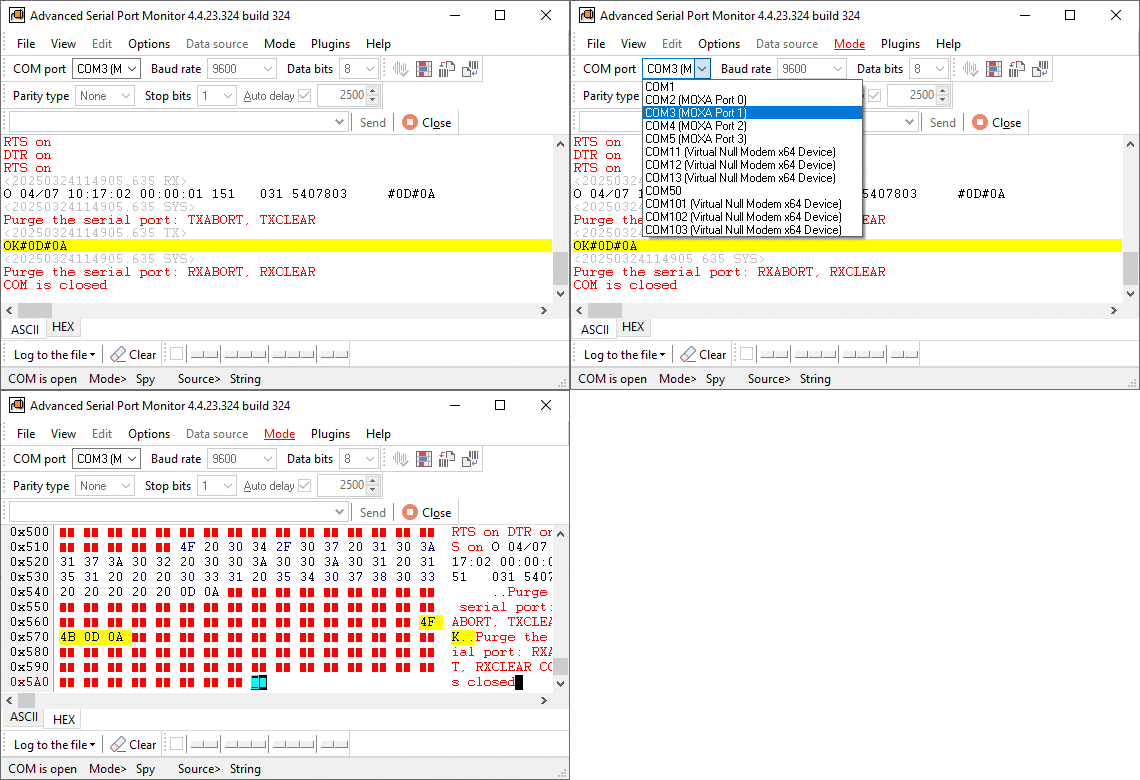
Key Differences: ASPM vs. Legacy Terminal
1. Advanced Terminal Mode
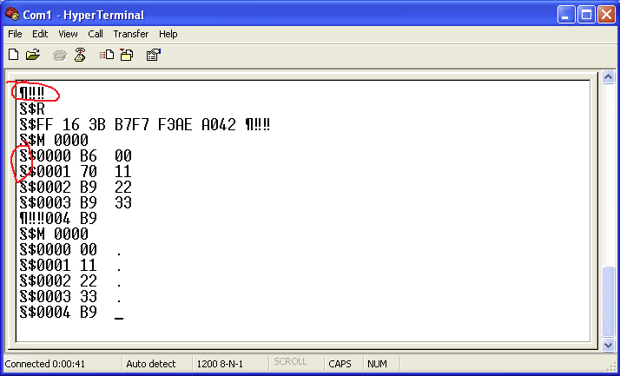
HyperTerminal was designed mainly for text. If you sent binary data, the screen would fill with "garbage" characters (non-printable characters) characters (see the image below).
- The ASPM Advantage: ASPM features a robust Terminal Mode that handles both text and binary data. You can easily switch between viewing data as plain text (ASCII) or organized HEX blocks. The user interface has two tabs for both data formats. This is useful when you are working with microcontrollers or industrial sensors.
2. HEX Output and Formatting
Most industrial protocols do not use readable words; they use hex bytes.
- HyperTerminal: Does not show HEX codes by default. You have to guess what is happening in the background.
- ASPM: Provides a dedicated HEX view. It color-codes sent and received data, making it easy to spot errors in a data stream at a glance.
3. Reliable Logging to a File
A program that can do something in the background might be what you need if you need to keep an eye on a device overnight or save what it does to a file.
- ASPM Capability: ASPM can log data directly to a file with a size of up to 2 GB. It automatically adds timestamps to every packet, so you know exactly when a specific event happened. You can save logs as is (text or binary) or export colored formatted data to RTF or Word documents.
Usage Scenarios
Scenario A: Basic Connectivity Check (HyperTerminal)
An IT technician wants to see if a Cisco switch is responding. They connect a console cable and look for a "Login" prompt.
- The Result: HyperTerminal works for this because it is a simple text conversation. But if the technician needs to keep a 24-hour log of the switch's boot-up errors, HyperTerminal might not be able to handle the large file.
Scenario B: Debugging a Custom Protocol (ASPM)
An engineer is developing or testing an RS485 sensor that sends a 10-byte binary packet every 100ms. They need to verify that the checksum (CRC) is correct.
- The ASPM Solution: The engineer opens ASPM in Manual Monitoring Mode. They see the raw HEX values. Because ASPM displays the data in real-time, the engineer can see exactly what their device is sending. They log the results to a file to analyze the CRC patterns later in the day. It is possible to initiate data transfer from scripts or using user-defined shortcuts for quick commands.
Final Verdict
If you are using Windows 11 or Windows 10, using on old HyperTerminal alternatives can lead to driver conflicts and lost data.
Advanced Serial Port Monitor is the professional choice. It gives you:
- Total Control: View and send HEX, Dec, or ASCII.
- High Performance: No lag, even at high baud rates.
- Modern OS Support: Full compatibility with the latest Windows updates and USB-to-Serial drivers.
See also
How To Add COM Port Device On Windows Computer
6 Best Serial Port Monitor Tools (Guide & Comparison)
2 common reasons why applications failed to open serial port
How to Reset, Delete, or Restore a COM Port in Windows 11
Advanced Serial Port Monitor vs. 232analyzer
HyperTerminal Alternative for Windows 11 & 10
Docklight vs. Advanced Serial Port Monitor for Windows 11 & 10
Related topics: Advanced Serial Port Monitor
hereRS232 monitor RS232 analyzer COM Port Debug RS232 terminal Serial port sniffer Serial port spy UART monitor RS232 pinout and signals Data monitor cables.