
Advanced Serial Port Monitor vs. 232analyzer: An In-Depth Comparison
Choosing the Right Serial Tool
When you need to debug a serial port, you usually find two names: Advanced Serial Port Monitor (ASPM) and 232analyzer. Both tools help you see data moving between a computer and a device. However, they are built for different types of work.
The Advanced Serial Port Monitor is a contemporary, professional solution that is designed for complex engineering and automation, while the 232analyzer is a classic tool for basic tasks.
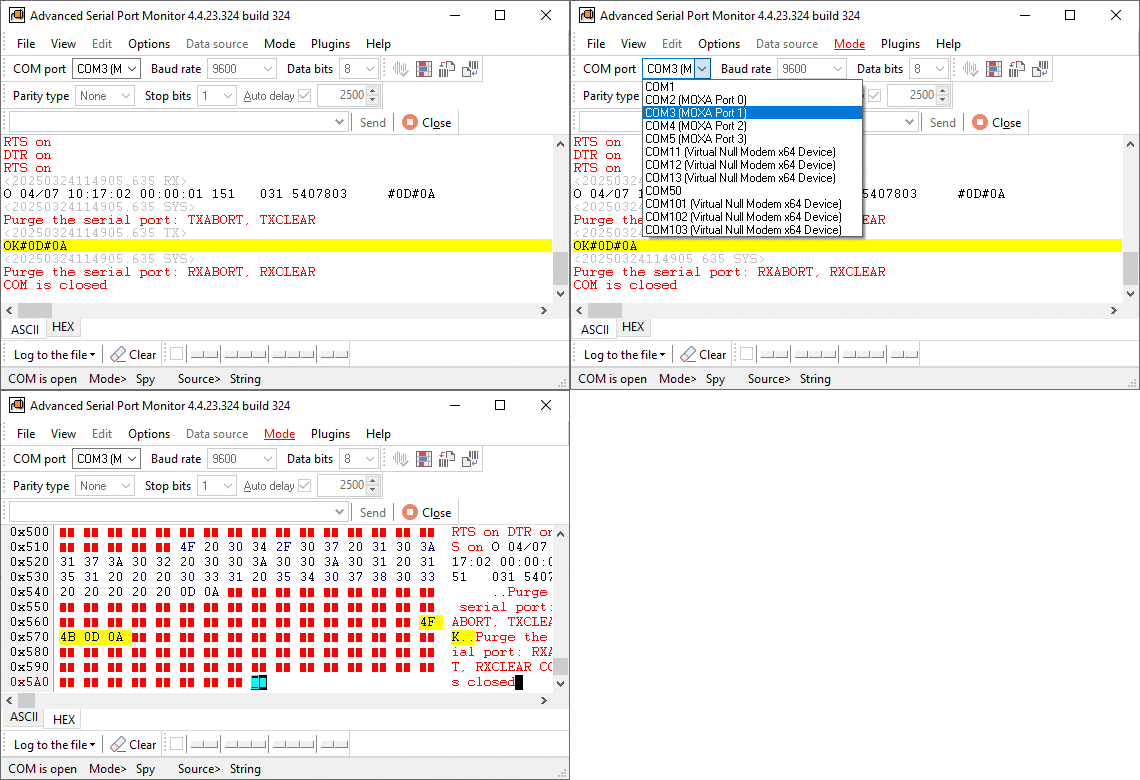
Feature Comparison at a Glance
| Feature | Advanced Serial Port Monitor | 232analyzer |
|---|---|---|
| Monitoring Mode | Kernel-level (non-intrusive) | User-level |
| Scripting | Built-in Logic Engine | Simple Macro commands |
| Data Export | Word, RTF, Text, Binary | Text files only |
| High-Speed Support | Excellent (optimized drivers) | Limited on modern Windows |
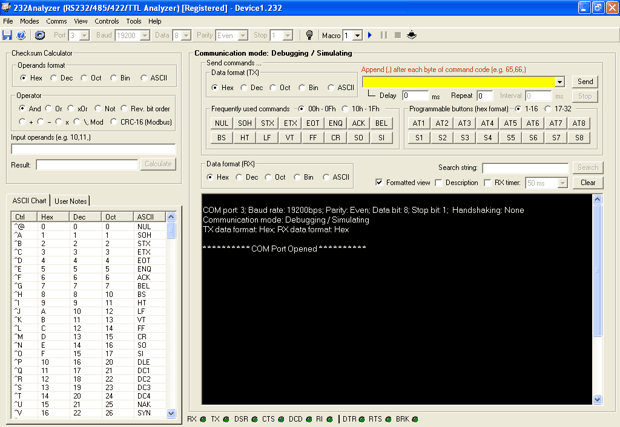
| Interface | Modern & Customizable | Legacy / Older style |
| Inter-device communications | A handmade serial port monitoring cable is required | Cable is an option |
Why Advanced Serial Port Monitor (ASPM) Stands Out
Advanced Serial Port Monitor is more than just a viewer. It is a "Swiss Army Knife" for hardware developers.
1. Real Non-Intrusive Sniffing
Most tools "interfere" with the port they are watching. ASPM uses a kernel-level driver. It can watch the data move between an existing app and the hardware without stopping or slowing it down. This is very important for finding bugs that only show up in real time.
2. Automation and Scripting
If you need to test a device for 24 hours, you cannot do it manually. ASPM has a specialized scripting engine. You can write simple logic to send a command, wait for a specific answer, and log the result. It turns your PC into an automated testing station.
3. Professional Data Logging
Data is only useful if you can analyze it. ASPM can send your serial data directly to a log file with a size of up to 2 GB. Of course, the program can automatically add timestamps for every data packet.
Unique Usage Scenarios
Scenario A: The Industrial Stress Test (ASPM)
An engineer is building a new firmware for a medical heart rate monitor. They need to send 10,000 requests to the device as fast as possible to see if the device crashes (buffer overflow).
- The ASPM Solution: The engineer writes a 5-line script to loop the requests and uses the Kernel Sniffer to catch the exact millisecond the device stops responding.
Scenario B: Quick Field Diagnostics (232analyzer)
An electrician is fixing an electronic weighing scale at a grocery store. When they press the "Print" button, they simply need to check to see if the scale is sending any text.
- The 232analyzer Solution: The technician opens 232analyzer, selects the COM port, and watches the terminal window. It is a simple "Yes/No" check to see if the cable is broken.
Scenario C: Protocol Emulation for Remote Development (ASPM)
The Problem: You need to write software for an expensive PLC or sensor, but the hardware is not physically available. The ASPM Solution: You can use ASPM to emulate the device. By using a plugin that allows you to define responses and the corresponding answer, you create a "virtual device". You can even simulate hardware failures to test how your software reacts to errors. The Benefit: You can do all of your software development and bug fixing without having the hardware on your desk. This saves you time and money on shipping.
Summary
If your job is to simply check if a cable works, 232analyzer is a functional choice.
However, if you are a developer, system integrator, or QA engineer, you need Advanced Serial Port Monitor. It's the best tool for modern industry because it can work at high speeds, automate tasks with scripts, and log data.
See also
How To Add COM Port Device On Windows Computer
6 Best Serial Port Monitor Tools (Guide & Comparison)
2 common reasons why applications failed to open serial port
How to Reset, Delete, or Restore a COM Port in Windows 11
Advanced Serial Port Monitor vs. 232analyzer
HyperTerminal Alternative for Windows 11 & 10
Docklight vs. Advanced Serial Port Monitor for Windows 11 & 10
Related topics: Advanced Serial Port Monitor
hereRS232 monitor RS232 analyzer COM Port Debug RS232 terminal Serial port sniffer Serial port spy UART monitor RS232 pinout and signals Data monitor cables.